Podcasting has evolved from a niche hobby into a mainstream medium for journalism, education, marketing, and entertainment. As audience expectations grow, so does the need for high-quality audio production. Clear sound, balanced levels, and seamless edits are no longer optional—they are essential for credibility and listener retention. Choosing the right podcast editing tools can dramatically improve both the production process and the final result, enabling creators to focus on content while maintaining professional standards.
TLDR: High-quality podcast production depends on reliable editing tools that offer precise control over audio cleanup, enhancement, and publishing. From beginner-friendly platforms to advanced digital audio workstations, the right software streamlines workflow and improves sound quality. Essential features include noise reduction, equalization, compression, multi-track editing, and direct publishing capabilities. Selecting the appropriate tool depends on technical experience, budget, and production goals.
The Importance of Professional Podcast Editing
Editing is more than removing mistakes or long pauses. It involves shaping the tone, timing, and clarity of an episode. Even well-recorded audio often contains background noise, volume inconsistencies, mouth clicks, and distracting ambient sounds. Without proper editing, these minor imperfections accumulate and undermine listener engagement.
Professional podcast editing typically involves:
- Noise reduction to eliminate background hums and static
- Equalization (EQ) to balance frequencies and enhance vocal clarity
- Compression to even out dynamic range
- De-essing to soften harsh “s” sounds
- Level normalization to meet streaming standards
Modern editing software incorporates these tools into intuitive workflows, making it possible for both beginners and experienced producers to achieve studio-quality results.
Categories of Podcast Editing Tools
Podcast editing tools generally fall into three categories: beginner-friendly audio editors, advanced digital audio workstations (DAWs), and cloud-based editing platforms. Each serves a specific user profile and production scale.
1. Beginner-Friendly Audio Editors
These tools prioritize simplicity and accessibility. They typically offer clean interfaces with essential editing features. Users can trim clips, apply basic effects, and export episodes without navigating complex audio engineering controls.
Common characteristics include:
- Drag-and-drop editing
- Built-in templates for podcast structure
- Simple noise removal tools
- One-click export settings
Such tools are suitable for solo podcasters, educators, and small businesses launching their first series.
2. Advanced Digital Audio Workstations (DAWs)
DAWs provide comprehensive control over sound production. They support multi-track editing, advanced audio processing, and integration with professional-grade plugins. While they require a steeper learning curve, they offer unmatched flexibility.

Features often include:
- Multi-track recording and editing
- Automation controls for volume and effects
- Third-party plugin compatibility
- Real-time spectral analysis
- Advanced routing and mixing options
Professional podcasters, production agencies, and studios typically rely on DAWs for their scalability and precision.
3. Cloud-Based Podcast Editing Platforms
Cloud solutions are increasingly popular due to their collaborative capabilities. These platforms allow multiple team members to edit, review, and publish episodes from any location. They often integrate recording, editing, and hosting into one ecosystem.
Benefits include:
- Remote collaboration features
- Automatic audio enhancement tools
- Version control and backups
- Direct publishing to podcast directories
For distributed teams and fast-paced production cycles, cloud-based tools offer efficiency and flexibility.
Key Features to Evaluate
When selecting a podcast editing tool, certain core features are essential regardless of experience level.
Multi-Track Editing
Multi-track capability allows separate control over host audio, guest recordings, music, and sound effects. This separation ensures precise adjustments without affecting other elements.
Noise Reduction and Restoration
Even well-treated recording spaces can introduce noise. Look for tools that include adaptive noise reduction, click removal, and hum elimination.
Equalization and Compression
EQ balances tonal frequencies, enhancing vocal warmth and clarity. Compression ensures consistent listening volume across devices. Together, these tools produce a polished and professional sound.
Loudness Normalization
Podcast directories follow loudness standards measured in LUFS (Loudness Units relative to Full Scale). Proper normalization prevents episodes from sounding too quiet or distorted compared to others.
Export and Publishing Integration
Efficient publishing tools enable selected metadata entry, artwork integration, and direct distribution to podcast hosting platforms.
Enhancing Audio Quality with Plugins
Many editing platforms support third-party plugins that expand functionality. These specialized tools address specific audio challenges or creative enhancements.
- De-reverb plugins to reduce room echo
- Voice leveling tools for automated balance
- Mastering suites for final audio polish
- Noise gates to silence inactive microphones
Plugins are particularly valuable for podcasters recording remote interviews, where inconsistent equipment and environments can create uneven sound profiles.

Streamlining the Editing Workflow
Efficiency is critical in podcast production, especially for recurring episodes. Establishing a consistent editing workflow improves productivity and reduces release delays.
A structured workflow might include:
- Import and organize all tracks
- Remove major mistakes and structural edits
- Apply cleanup processing such as noise reduction
- Balance and enhance audio using EQ and compression
- Add music and transitions
- Normalize and master the final mix
- Export and publish with proper metadata
Many tools allow users to create presets and templates for repeated use, significantly reducing repetitive manual adjustments.
Publishing and Distribution Capabilities
Editing software increasingly integrates publishing features. These streamline episode upload, RSS feed updates, and directory distribution.
Publishing tools commonly support:
- Episode scheduling
- Automatic file optimization
- Metadata tagging
- Integrated analytics dashboards
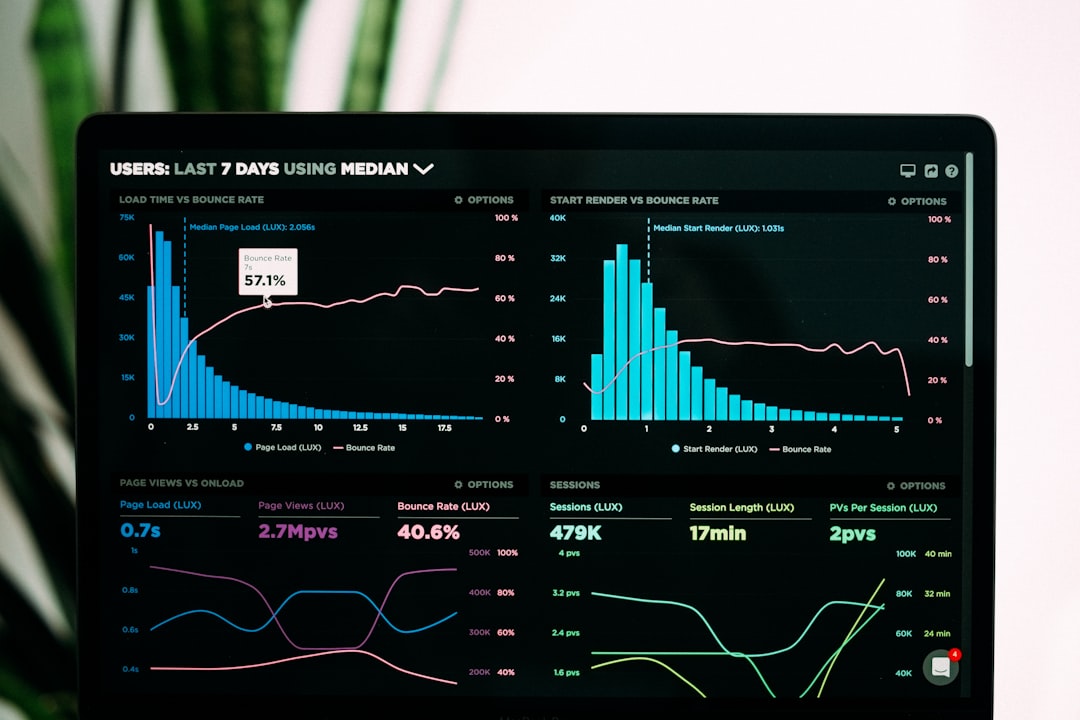
Analytics are especially important for measuring listener engagement, completion rates, and geographic reach. Data-driven feedback informs content strategy and future production decisions.
Hardware and Software Compatibility
While software plays a central role, hardware compatibility cannot be ignored. Ensure your editing tool supports your operating system and integrates seamlessly with microphones, audio interfaces, and recording devices.
Consider the following:
- System requirements and processing power
- Supported audio file formats
- Driver compatibility for recording interfaces
- Cloud storage or local backup integration
Mismatch between software and hardware can lead to latency issues, crashes, or degraded sound quality.
Security and Backup Considerations
Podcast episodes represent significant time and intellectual investment. Reliable backup systems are essential. Many cloud platforms include automatic version saves and secure storage. For local editing environments, regular backups to external drives or encrypted cloud storage are recommended.
Security measures should include:
- Two-factor authentication for publishing accounts
- Encrypted file transfers
- Clear role-based access controls for teams
Protecting unpublished content prevents unauthorized distribution and maintains professional integrity.
Budget and Scalability
Costs vary widely among podcast editing tools. Free software may offer solid foundational features, while subscription-based platforms provide advanced automation and collaboration tools. When evaluating cost, consider long-term growth.
Questions to ask include:
- Will this platform support multiple shows?
- Can it handle increasing production volume?
- Are plugin expansions available?
- Does it support team collaboration?
Investing in scalable software reduces disruptions as your audience and production complexity expand.
Conclusion
Podcast editing tools are central to delivering clear, engaging, and professionally produced audio content. Whether opting for a simple editor or a full-featured digital audio workstation, creators must prioritize reliability, functionality, and scalability. Essential capabilities such as multi-track editing, noise reduction, EQ, compression, and publishing integration directly influence production quality and efficiency.
As competition within the podcasting space intensifies, audiences increasingly associate audio clarity with credibility. By selecting appropriate editing tools and establishing disciplined workflows, podcasters can consistently meet professional standards and build lasting listener trust. Thoughtful investment in editing and publishing technology is not merely a technical decision—it is a strategic commitment to quality and long-term success.