Some passwords do not just unlock accounts. They also unlock feelings. A passive-aggressive password is the tiny digital eye roll you type every morning. It might be aimed at your boss, your ex, your printer, or the app that keeps asking you to “create an account.” It can feel funny. It can also be a very bad idea.
TLDR: Passive-aggressive passwords are passwords that hide complaints, jokes, or emotional messages. They can be funny, but they are often easy to guess, easy to expose, and easy to regret. If your password sounds like a grumpy sticky note, it probably should not protect your bank account. Use a password manager and create long, random passwords instead.
What is a passive-aggressive password?
A passive-aggressive password is a password with attitude. It says something without saying it out loud. It may look like a joke. It may look like a tiny protest. It may look like a secret message to the universe.
For example, someone might use a password like IHateMondaysAgain. Or FineIWillChangeIt. Or PleaseWorkForOnce. These are not real password suggestions. Please do not use them. They are examples of the mood.
The problem is simple. A password is not a diary. It is not a complaint box. It is not a place to roast your workplace software. It is a lock. Locks should not be emotional.

Funny examples of passive-aggressive passwords
Here are some made-up examples. Laugh at them. Do not copy them.
- FineTakeMyData — for the app that needs your birthday, shoe size, and favorite cloud.
- ThisMeetingCouldBeAnEmail — for corporate portals everywhere.
- StopAskingMeToUpdate — for software that updates every six minutes.
- MyBossCantSpell — risky, petty, and definitely not worth it.
- PrinterYouHadOneJob — fair, but still not secure.
- NewPasswordSamePain — relatable, but predictable.
- LetMeInYouCoward — dramatic, but not strong.
- ILiveLaughLogOut — decorative, but weak.
- NotMyCircusButStillMyLogin — poetic, but too personal.
- QuitMakingMeResetThis — a password reset cry for help.
These are funny because they feel true. Everyone has battled a login screen. Everyone has forgotten a password at the worst time. Everyone has stared at “password must contain one special character” and wondered if a scream counts.
But funny does not mean safe.
Why people make passwords like this
People choose emotional passwords for normal reasons. They are tired. They are annoyed. They need a password fast. The website has strange rules. The system rejects the first five tries. So the password becomes a tiny tantrum.
It also feels easy to remember. A phrase like WhyIsThisSoHard sticks in your brain. A random string does not. That is why people use names, jokes, quotes, complaints, pets, birthdays, and office sarcasm.
There is also a small thrill. You get to type your complaint every day. Nobody knows. It feels private. It feels clever.
Until it is not private.
The big security problem
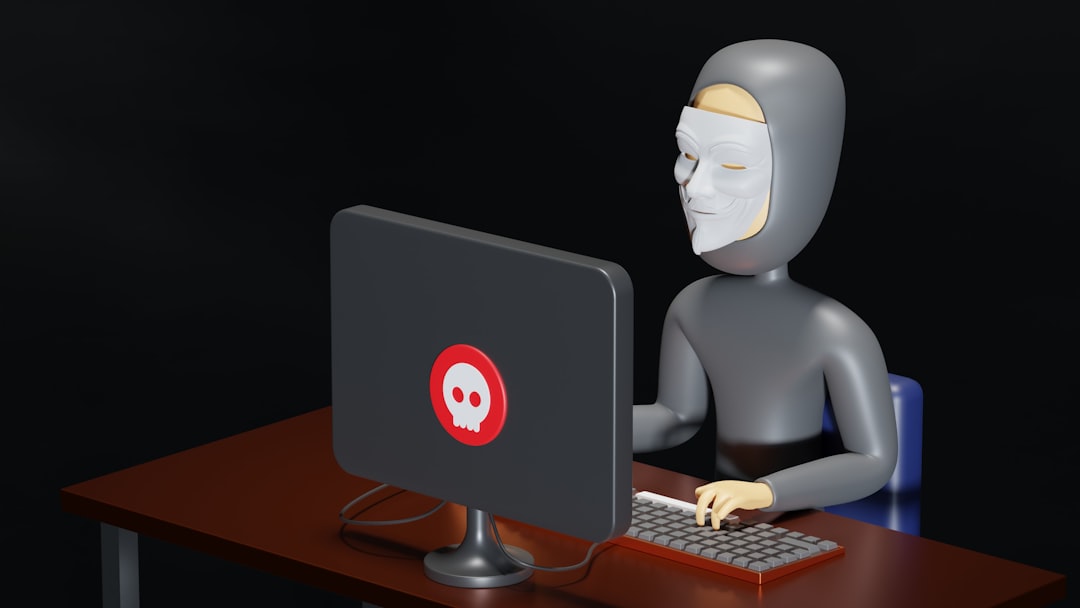
Passive-aggressive passwords are often based on real life. That makes them easier to guess. Hackers do not need magic. They use patterns. They use leaked password lists. They use personal details. They use common phrases. They use tools that try millions of guesses very fast.
If your password is about your job, your pet, your favorite show, or your daily rage, it may not be as secret as you think. People post a lot online. A hacker might learn your company name, your hobbies, your dog’s name, or your love-hate relationship with Mondays.
A password like IHateMyJob2024 has a shape. It has words. It has a year. It has a common feeling. Attackers love that. Computers love that too. They can test common words, numbers, and phrases quickly.
Long does not always mean strong. A long sentence can still be weak if it is predictable. A password can have capital letters and still be bad. It can have a number and still be bad. It can even have an exclamation mark and still be very ordinary.
They can embarrass you
Passwords should be secret. But secrets leak. You may type one while sharing your screen. You may say it to IT by mistake. A website may suffer a data breach. A password manager export may be mishandled. A sticky note may fall off your monitor like a tiny confession.
Now imagine your password was MyTeamIsUseless. Or CarolNeverReadsEmails. That is no longer a private joke. That is an HR meeting with chairs that squeak.
Even harmless sarcasm can look bad without context. A password is not the place to insult coworkers, clients, family, or your own future self. Future you has enough problems.
They encourage password reuse
Another issue is reuse. If a password is funny and easy to remember, people often use it in more than one place. That is dangerous.
If one website gets hacked, attackers try the same password on other websites. This is called credential stuffing. It is common. It is fast. It works because many people reuse passwords.
So if FineTakeMyData protects your shopping account, and also your email, and also your bank, one leak can become a disaster buffet.
Use a different password for every account. Yes, that sounds annoying. That is why password managers exist.
Better ways to make strong passwords
You do not need to memorize a hundred random passwords. Please do not try. Your brain is already storing song lyrics from 2007.
Use a password manager. It can create long, random passwords. It can store them safely. It can fill them in for you. You only need to remember one strong master password.
For your master password, use a long passphrase. Make it odd, but not personal. Think of random words together. For example, a pattern like violet spoon comet blanket is easier to remember than random junk. Add more length if needed. Do not use that exact example. Make your own.
Good passwords should be:
- Long, because length helps a lot.
- Unique, because every account needs its own lock.
- Random, because patterns are risky.
- Private, because your feelings belong in a journal.
- Stored safely, because memory is not a security system.
Also turn on multi-factor authentication when possible. This adds another step, like a code or app approval. It is not perfect. But it helps. It means a stolen password may not be enough.
Can a funny password ever be safe?
Maybe. But it has to be funny in a random way, not a personal way. It should not include your job drama, your pet, your family, your city, your birthday, or a common complaint.
Even then, it is better to let a password manager make the password. Save the comedy for the password hint. Actually, no. Do not do that either. Password hints are often security spoilers wearing tiny hats.
If you want humor, name your Wi-Fi something silly. Put a joke on your mug. Make your group chat weird. Do not make your main email password a roast of your internet provider.
What to do if you already have one
If your current password sounds like a sarcastic sigh, change it. Start with important accounts. Email first. Then banking. Then work accounts. Then social media. Then shopping sites.
Do not panic. Just improve. Replace reused passwords. Turn on multi-factor authentication. Add a password manager. Check if your accounts offer security alerts.
And please retire any password that insults a real person. It may be funny today. It may be evidence tomorrow.
The final lesson
Passive-aggressive passwords are comedy snacks. They are small, spicy, and very tempting. But they are not good locks. They can be guessed. They can be leaked. They can embarrass you. They can also train you to reuse passwords, which is one of the worst habits online.
So keep the attitude. Just keep it out of your passwords. Let your password manager be boring. Boring is safe. Boring does not call Carol out by name. Boring protects your accounts while you live your dramatic little life in peace.