Passwords are like tiny keys. In a small company, you may keep a few keys on a neat hook. In a big company, you may have thousands of keys, owned by people, apps, servers, robots, scripts, and cloud tools. That is where CyberArk Password Manager comes in. It helps enterprises protect, rotate, monitor, and control powerful passwords before they become a security disaster.
TLDR: CyberArk Password Manager is an enterprise tool for protecting privileged passwords and secrets. It stores credentials in a secure vault, controls who can use them, and records what happens. It is best for large teams, regulated industries, cloud environments, and any business that wants serious protection for admin accounts. Think of it as a smart, guarded password vault with cameras, rules, and alarms.
What Is CyberArk Password Manager?
CyberArk Password Manager is part of the CyberArk identity security platform. Its main job is to protect privileged credentials. These are not normal passwords. They are the “big boss” passwords.
Examples include:
- Administrator accounts
- Root accounts on Linux servers
- Database admin passwords
- Service account credentials
- Cloud access keys
- Application secrets
If these passwords are stolen, attackers can do a lot of damage. They can move through systems. They can steal data. They can shut things down. They can pretend to be trusted users. Not fun.
CyberArk helps stop that. It locks sensitive credentials inside a controlled vault. Users do not need to know the actual password in many cases. They request access, use what they need, and CyberArk handles the rest.

Why Enterprises Need More Than a Basic Password Manager
A normal password manager is great for personal use. It can save your shopping login, email password, and streaming accounts. Nice and tidy.
But enterprises have bigger problems. They have many users. Many departments. Many systems. Many rules. Also, many attackers trying to sneak in.
An enterprise password manager must do more than store passwords. It must answer questions like:
- Who can access this account?
- When can they access it?
- Why do they need it?
- What did they do after logging in?
- Was the password changed afterward?
CyberArk is built for this world. It is not just a digital notebook. It is more like a bank vault, security guard, ticket desk, and video recorder in one.
Core Enterprise Features
CyberArk comes with many features. Some are simple to understand. Some are very deep. Let’s keep it friendly.
1. Secure Password Vault
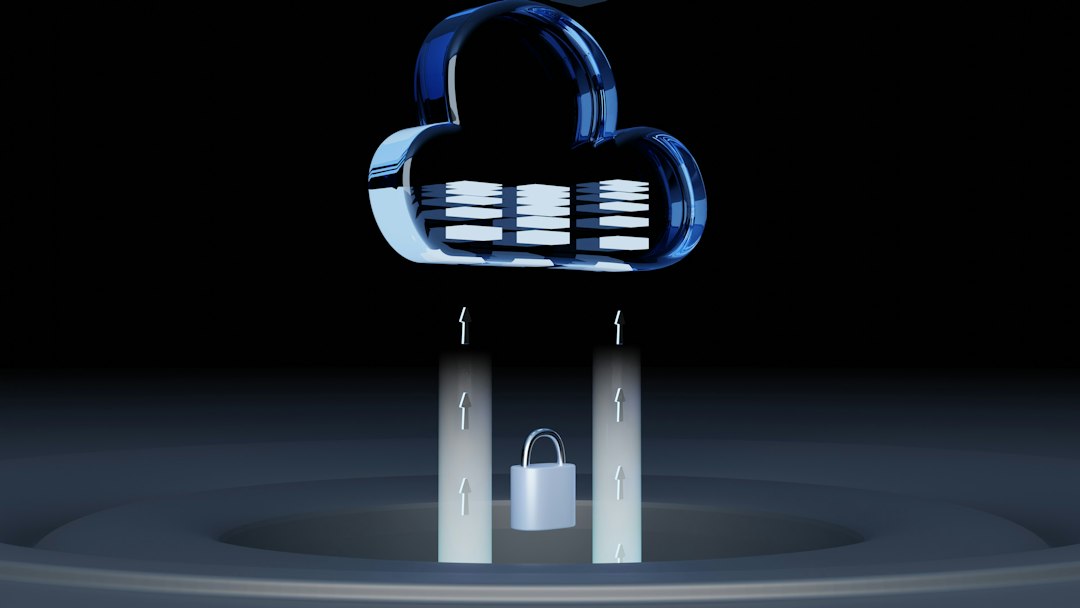
The vault is the heart of CyberArk. It stores privileged passwords in an encrypted place. Only approved users and systems can access them.
This means passwords are not floating around in spreadsheets, chat messages, sticky notes, or old emails. Yes, people still do that. No, they should not.
2. Automatic Password Rotation
CyberArk can change passwords on a schedule. For example, it can rotate an admin password every day, every week, or after each use.
This is a big deal. If an attacker steals an old password, it may become useless fast. Like milk left out in the sun. Gross, but effective.
3. Access Control
Not everyone should access everything. CyberArk lets companies set strict permissions. A database admin may access database credentials. A network engineer may access router credentials. A marketing intern should not access either.
Access can also be temporary. A user may get permission for one hour. After that, the door closes.
4. Session Monitoring and Recording
CyberArk can record privileged sessions. That means the company can see what happened during a sensitive login.
This helps with audits. It also helps investigate suspicious behavior. If someone changes a server setting at 2:00 a.m., CyberArk can help show what happened.
5. Approval Workflows
Sometimes, a user must ask for permission before using a privileged account. CyberArk can support approval workflows.
For example, a system admin requests emergency access. A manager approves it. CyberArk grants access. The session is tracked. The password is rotated afterward. Clean and controlled.
6. Secrets Management
Modern apps use secrets. These may be API keys, tokens, certificates, and database passwords. CyberArk can help protect these too.
This is very important for DevOps and cloud teams. Hardcoded secrets in code are risky. CyberArk helps keep them out of places they do not belong.
How CyberArk Improves Security
CyberArk focuses on a security idea called least privilege. This means users get only the access they need. Nothing more.
It also supports zero trust. That means the system does not blindly trust anyone. Every access request must be checked.
Here is how CyberArk makes life harder for attackers:
- It hides privileged passwords from users when possible.
- It rotates passwords often.
- It tracks who accessed what.
- It records risky sessions.
- It limits access by role, time, and purpose.
- It can alert teams about strange activity.
Imagine a burglar finds a key. Bad news. But then the lock changes five minutes later. Also, cameras recorded everything. Also, the key only worked for one closet. That is the CyberArk style.
Best Use Cases for CyberArk
CyberArk is powerful. But it is not always needed for every tiny team. It shines when security needs are serious.
Large Enterprises
Big companies often have thousands of privileged accounts. Manual tracking becomes impossible. CyberArk brings order to the chaos.
Regulated Industries
Banks, hospitals, insurance companies, and government agencies must follow strict rules. They need audit trails. They need access reports. They need control. CyberArk helps with these needs.
Cloud and Hybrid Environments
Many businesses use AWS, Azure, Google Cloud, and on-premise systems together. That creates lots of secrets and admin paths. CyberArk helps secure them across environments.
DevOps Teams
DevOps moves fast. That is great. But speed can create secret sprawl. CyberArk helps protect credentials used in pipelines, scripts, containers, and applications.
Third-Party Vendor Access
Vendors sometimes need access to internal systems. This can be risky. CyberArk can give vendors controlled, monitored, temporary access. No more shared admin passwords sent by email. Please cheer.

CyberArk vs. Regular Password Managers
Tools like personal password managers help users save and autofill passwords. They are useful. But CyberArk is built for a different mission.
Here is the simple difference:
- Regular password manager: “Let me store your passwords safely.”
- CyberArk: “Let me control, rotate, monitor, approve, record, and secure your most powerful credentials.”
CyberArk is more complex. It usually needs planning and setup. But it also gives much stronger control for enterprise risk.
Things to Consider Before Using CyberArk
CyberArk is not magic glitter. It is a serious security platform. Companies should prepare before rolling it out.
Important questions include:
- Which privileged accounts do we have?
- Who owns each account?
- Which accounts should be rotated?
- Which systems need session recording?
- How will users request access?
- Who will manage the platform?
A good rollout starts with discovery. Find the risky accounts first. Protect the crown jewels. Then expand step by step.
Final Thoughts
CyberArk Password Manager is not just a place to save passwords. It is an enterprise security control center for privileged access. It protects the accounts that attackers want most.
It helps companies store credentials safely, rotate them often, monitor sessions, and prove who did what. That is useful for security teams, auditors, admins, developers, and business leaders.
If your company has many privileged accounts, strict compliance needs, cloud secrets, vendor access, or high-value systems, CyberArk can be a strong choice. It brings structure to password chaos. It turns “Who has the admin password?” into “Access approved, recorded, and controlled.”
In short, CyberArk is like a very serious bouncer for your most important digital doors. It checks the list. It watches the room. It changes the locks. And it does not get tired.