Passwords are like the keys to your digital house. They protect your email, bank account, photos, games, work files, and secret cookie recipes. But many people still use passwords that are easy to guess. That is like hiding your house key under a mat that says, “Key is here.”
TLDR: Use long, unique passwords that are hard to guess but easy for you to manage. Avoid keyboard patterns like qwerty and common words like password, because hackers try those first. The best choice is a long passphrase, a password manager, and two factor authentication when possible.
Why weak passwords are a big deal
A weak password can let strangers into your accounts. They may read your messages. They may steal money. They may lock you out. They may even pretend to be you.
That sounds scary. But do not panic. Making a strong password is not magic. You do not need to be a computer genius. You just need to stop using the easy stuff.
Hackers do not sit in dark rooms guessing one password at a time while lightning flashes. Well, maybe in movies. In real life, they use software. That software can try huge lists of passwords very fast.
Those lists include:
- Common words
- Names
- Keyboard patterns
- Leaked passwords from old data breaches
- Simple number changes, like password1
The problem with keyboard patterns
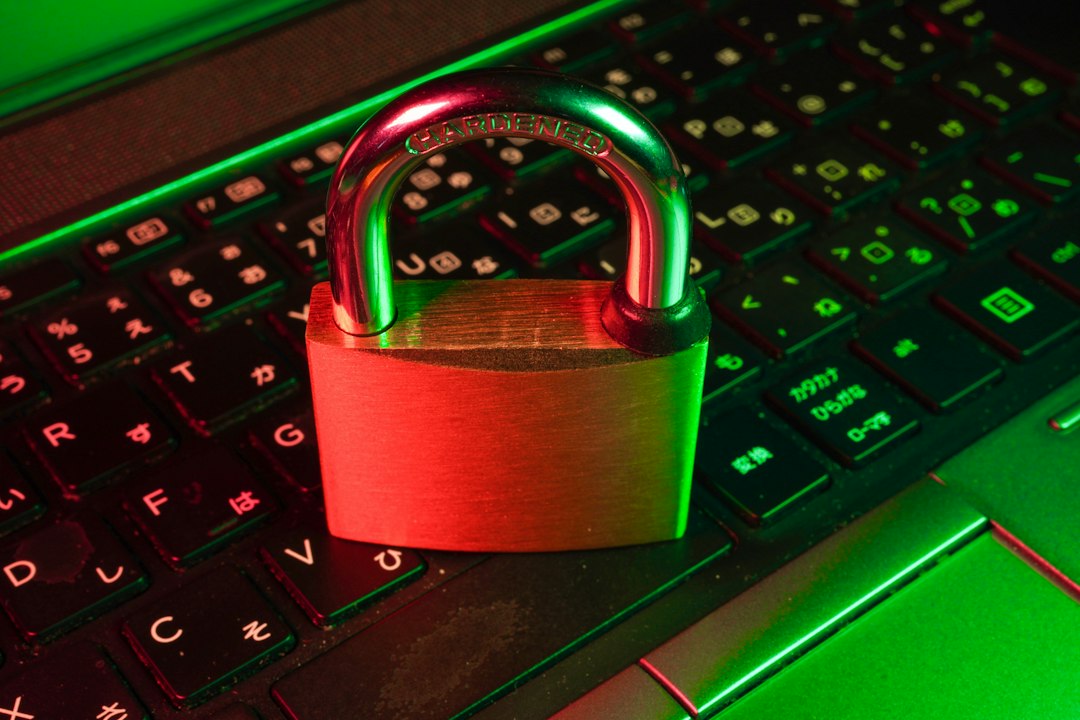
Keyboard patterns feel clever. They are not. Examples include qwerty, asdfgh, zxcvbn, and qazwsx.
These are easy to type. That is the trap. If a password is easy for your fingers to remember, it may also be easy for a computer to guess.
Think of your keyboard like a small map. Hackers know the map. Their tools know the map too. They test straight lines, rows, columns, and little shapes. So 1qaz2wsx may look fancy, but it is still a pattern.
It is like making a secret handshake, then doing it in front of everyone.
The problem with common words
Common words are also risky. Words like sunshine, dragon, football, monkey, and princess show up again and again in bad password lists.
People choose them because they are easy to remember. That part makes sense. But if millions of people choose the same easy words, hackers notice.
Adding a number at the end does not help much. These are still weak:
- password1
- dragon123
- summer2024
- welcome!
- letmein
The same goes for replacing letters with symbols. P@ssw0rd is not a superhero password. It is just password wearing a fake mustache.
What makes a password strong?
A strong password has three big powers. It is long. It is unique. It is hard to guess.
Length matters a lot. A short password can be cracked more easily, even if it uses symbols. A long password gives attackers more work. Much more work.
Unique means you do not reuse it. Your email password should not be the same as your shopping password. Your bank password should not be the same as your streaming password.
Why? Because websites sometimes get hacked. If one password leaks, criminals may try it on other sites. This is called credential stuffing. It is not as tasty as it sounds.
Try a passphrase
A passphrase is a password made from several words. It can be strong and easier to remember.
For example, this is better than a common word:
purple turtle dances under moonlight
But do not use that exact one now. It is in this article. The internet has seen it. The turtle has retired.
To make your own passphrase, choose random words. Do not use a famous quote. Do not use song lyrics. Do not use your pet’s name and birthday.
Good passphrases can be silly:
- CloudyBananaJumpsOver7Spoons
- RobotTigerPaintsTinyPancakes
- VelvetFrogSingsAtMidnight42
These are long. They are strange. They are easier to remember than random soup like 8v$Qp!2zL. Strange is good. Be the raccoon in a top hat.
Use a password manager
A password manager is like a safe for your passwords. It remembers them for you. You only need to remember one strong master password.
This is helpful because every account should have a different password. Without help, that gets messy fast. You may start writing them on sticky notes. Then your desk becomes a treasure map for trouble.
A password manager can create long random passwords, like:
V7m!pQ92#rTzK4@bLx
You do not have to memorize that. The password manager stores it securely. It can also fill it in when you log in.
Pick a trusted password manager. Keep the master password private. Make it long. Do not share it. Not with friends. Not with coworkers. Not with your cat, even if the cat looks wise.
Turn on two factor authentication
Two factor authentication, or 2FA, adds another lock. After entering your password, you must prove it is really you. This may be a code from an app, a security key, or a fingerprint.
2FA is great because passwords can fail. They can leak. They can be stolen. A second step makes your account much harder to break into.
If you can, use an authentication app or security key. Text message codes are better than nothing. But app codes and security keys are usually stronger.
Do not use personal details
Your password should not include easy facts about you. Many of those facts are online. Birthdays, pet names, school names, and favorite teams can be found or guessed.
Avoid passwords based on:
- Your name
- Your child’s name
- Your pet’s name
- Your birthday
- Your address
- Your favorite sports team
- Your company name
If a stranger can learn it from social media, do not put it in your password.
Quick password checklist
Before you create or update a password, use this simple checklist:
- Make it long. Aim for at least 12 to 16 characters.
- Make it unique. Use a different password for every account.
- Avoid patterns. No qwerty, 123456, or keyboard walks.
- Avoid common words. No password, welcome, or admin.
- Avoid personal facts. Skip names, birthdays, and pets.
- Use a password manager. Let it create and store strong passwords.
- Turn on 2FA. Add a second lock to important accounts.
What to do today
Start with your most important accounts. Update your email first. Your email often controls password resets for other services. If someone gets into your email, they may get into many other accounts too.
Next, change passwords for banking, shopping, cloud storage, work tools, and social media. Use a unique password for each one. Save them in a password manager.
Then turn on 2FA wherever you can. It takes a few minutes. It can save you a giant headache later.
Final thought
Strong passwords do not need to be ugly or painful. They just need to avoid the obvious. No keyboard patterns. No common words. No personal clues.
Think long. Think unique. Think weird. A password like qwerty123 is a welcome mat. A strong passphrase is a dragon at the gate. Choose the dragon.