The best Viewstats alternatives are YouTube Studio, vidIQ, TubeBuddy, Social Blade, Tubular Labs, HypeAuditor, and Socialinsider. Each one handles a different job, from first-party channel reports to competitor tracking and creator discovery. That matters because YouTube says it reaches more than 2 billion logged-in monthly users, so small changes in retention, thumbnails, or topic choice can have real impact [source: YouTube].
TLDR: For most creators, YouTube Studio should be the base tool, while vidIQ or TubeBuddy can help with keyword and video planning. A channel with 50,000 subscribers posting 8 videos per month might use YouTube Studio to spot a 42% average view duration, then use vidIQ to compare titles before the next upload. Larger teams may prefer Tubular Labs or Socialinsider for competitor reports. For brand deals and creator research, HypeAuditor is often the cleaner pick.
1. YouTube Studio
Best for: official channel analytics and video performance tracking.
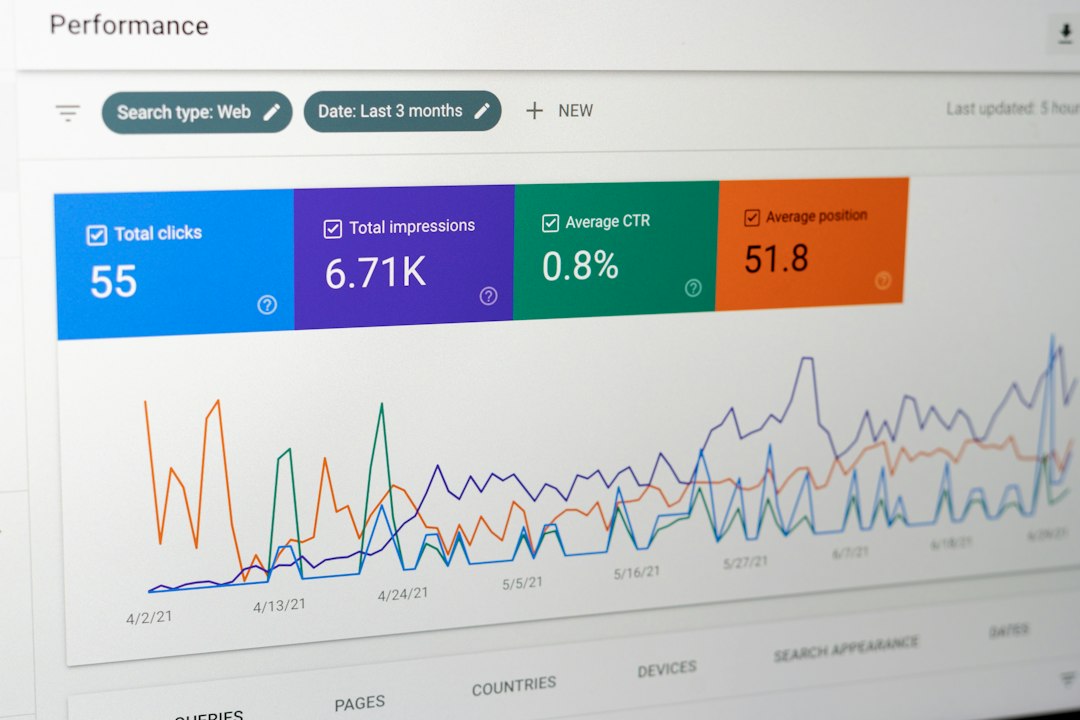
YouTube Studio is the safest Viewstats alternative because the data comes straight from YouTube. It shows views, watch time, impressions, click-through rate, retention, traffic sources, audience age, returning viewers, and revenue data for monetized channels.
It is not flashy. That is fine. The reports are accurate and updated often. The catch is that competitor research is almost nonexistent. A creator can study their own channel well, but they cannot deeply compare against other channels inside the same dashboard.
2. vidIQ
Best for: keyword research, idea scoring, and competitor checks.
vidIQ is a strong pick for creators who want help before publishing. It gives keyword scores, title ideas, tag suggestions, trend alerts, and competitor views. It can also show what topics are gaining interest.
This makes it useful for creators who plan videos around search demand. For example, a tech channel can compare “budget microphones” against “USB microphones” before filming. That saves time. It also reduces guesswork.
The annoying part is that some recommendations can feel generic. Creators still need judgment. A high keyword score does not mean a video will perform well if the thumbnail, hook, or pacing is weak.
3. TubeBuddy
Best for: upload workflow, A/B testing, and channel cleanup.
TubeBuddy works well for creators who want help managing videos at scale. It has keyword tools, bulk edits, tag tools, thumbnail testing, upload checklists, and productivity features.
The A/B testing feature is one of its strongest points. A creator can test two thumbnails and see which one gets better click-through rates. For channels with a large back catalog, bulk updates can also save hours.
It gets irritating when too many small features sit behind paid plans. Still, for creators who publish often, the time saved can make the cost easier to accept.
4. Social Blade
Best for: quick public channel checks.
Social Blade is simple. It shows public stats such as subscriber growth, view growth, estimated earnings, upload counts, and rank changes. It is useful when someone wants a quick read on a channel.
Agencies, sponsors, and creators often use it to check whether a channel is growing, flat, or losing steam. It is not perfect. Estimated earnings are broad guesses, not confirmed revenue.
Still, Social Blade is handy for fast research. If a channel gained 120,000 subscribers in 30 days, that is worth a closer look.
5. Tubular Labs
Best for: enterprise video intelligence and media teams.
Tubular Labs is built for bigger teams. It tracks video trends, audience behavior, creator performance, sponsored content, and competitor activity across social video platforms.
For brands, publishers, and agencies, it can answer questions that smaller tools cannot. Which creators are growing fastest in food content? Which formats are winning in short video? Which competitors are gaining views from repeat series?
The downside is cost and complexity. It is not the casual choice for a solo creator. It is better suited to teams that need reports, sales support, and deeper market research.

6. HypeAuditor
Best for: creator research and influencer quality checks.
HypeAuditor is useful when the goal is to find creators, check audience quality, and review brand safety. It can help brands spot fake engagement, audience location, follower quality, and creator fit.
For YouTube campaigns, this matters. A channel may look strong at first glance, but the audience may not match the buyer. HypeAuditor helps reduce that risk.
It is less about daily channel management and more about partnership decisions. That makes it a good Viewstats alternative for agencies and sponsor teams.
7. Socialinsider
Best for: competitor reporting and social media benchmarks.
Socialinsider tracks YouTube along with other social platforms. It is useful for teams that want reports across several channels and competitors in one place.
It can show engagement, posting frequency, video performance, growth trends, and content comparisons. A marketing team can compare five YouTube channels and see which formats pull better results.
Its value is in reporting. Solo creators may not need it. Teams that send monthly reports to clients or managers may find it much more useful.
How to Choose the Right Viewstats Alternative
- For owned channel data: choose YouTube Studio.
- For keyword planning: choose vidIQ or TubeBuddy.
- For public channel checks: choose Social Blade.
- For brand and agency research: choose HypeAuditor or Tubular Labs.
- For client reports: choose Socialinsider.
No single tool fully replaces every Viewstats feature. The best setup is often a mix. A creator might use YouTube Studio for truth, vidIQ for ideas, and Social Blade for quick competitor checks.
FAQ
What is the best free Viewstats alternative?
YouTube Studio is the best free option. It gives official data on views, retention, traffic, and revenue.
Which tool is best for YouTube keyword research?
vidIQ and TubeBuddy are the strongest choices for keyword research, tags, titles, and topic planning.
Which alternative is best for competitor tracking?
Social Blade is good for quick checks. Socialinsider and Tubular Labs are better for deeper reports.
Which tool should brands use for creator research?
HypeAuditor is a strong option for checking creator quality, audience fit, and possible fake engagement.
Does a creator need more than one analytics tool?
Often, yes. YouTube Studio gives the core truth, while other tools help with planning, comparison, and research.