The safest easy way to share your Wi-Fi password is to avoid saying or texting the password at all: use a QR code, Apple Wi-Fi sharing, Android Nearby Share, or a temporary guest network. This matters because home networks now carry work laptops, phones, cameras, speakers, and payment devices; Pew Research reports that 96% of U.S. adults use the internet [source: Pew Research]. A shared password is not just a convenience. It is access to part of your private space.
TLDR: Use a guest network for visitors and share it with a QR code whenever possible. For example, if eight people come over for dinner, a printed QR code on the fridge saves you from reading a 16-character password eight times and keeps your main devices separate. Turn off access after the visit if your router supports scheduled guest Wi-Fi. Never send your main Wi-Fi password in a group chat unless there is no better option.
Why safe Wi-Fi sharing matters
Your Wi-Fi password protects more than internet access. It may protect printers, shared folders, smart TVs, security cameras, and home office equipment. If someone joins your main network, their phone or laptop may be able to see devices that were never meant to be public.
This does not mean you should act suspicious of every guest. It means you should use better defaults. A good setup lets people get online fast without giving away long-term access to everything you own.
Image not found in postmeta
The best option: create a guest Wi-Fi network
A guest network is a separate Wi-Fi name and password for visitors. Most modern routers offer it. Many mesh systems, such as Eero, Google Nest Wifi, TP Link Deco, and Netgear Orbi, include guest Wi-Fi in the app.
Use it this way:
- Name it clearly: Use something like Smith Guest, not your main family network name.
- Use a different password: Never reuse your main Wi-Fi password.
- Block local device access: If the router offers “guest isolation” or “access to local network,” turn local access off.
- Change it regularly: Update the guest password after parties, rentals, or work visits.
- Use scheduling: Some routers can turn guest Wi-Fi off at night or after a set period.
The catch is that router apps hide this setting in different places. On one app it is under Wi-Fi. On another it is under Advanced. Expect to waste a minute or two finding it the first time. After that, it is usually simple.
Share with a QR code
A QR code is one of the cleanest ways to share Wi-Fi. Guests scan it with their phone camera and join without seeing or typing the password. This is useful when your password is strong, long, and annoying to read out loud.
To do this safely:
- Create the QR code from your phone settings or a trusted local tool.
- Use it for the guest network, not your main network.
- Print it and place it somewhere visible for visitors.
- Replace the printout when you change the guest password.
Do not post a QR code for your home Wi-Fi in public photos. That includes rental listings, social media posts, and party pictures. If the code is visible, someone may be able to scan it from the image.
Image not found in postmeta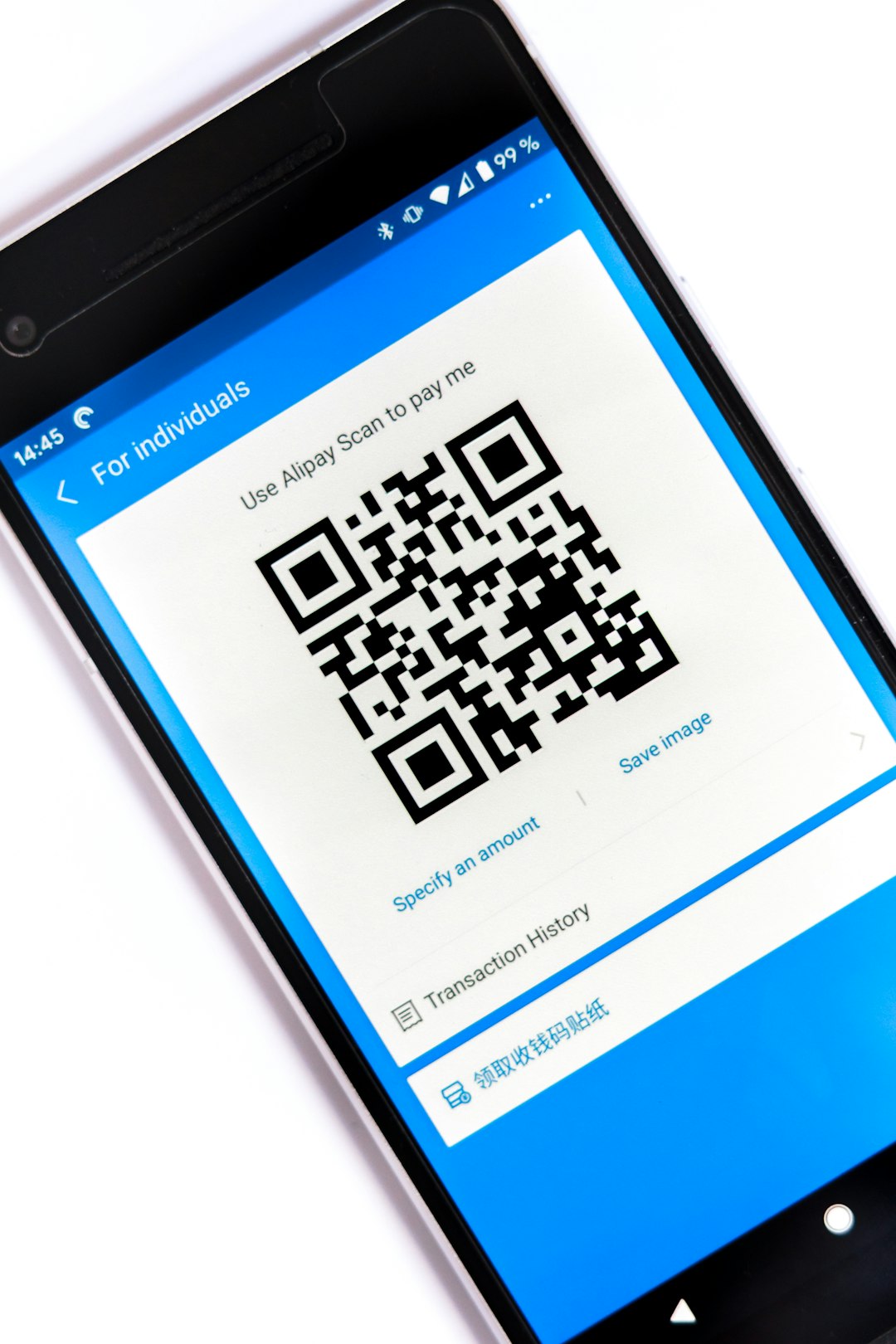
Use built-in phone sharing when possible
Apple and Android both offer built-in sharing options. These are fast and reduce errors.
On iPhone: If both people use Apple devices, have the guest select your Wi-Fi network. Keep both devices nearby with Wi-Fi and Bluetooth on. Your iPhone may show a prompt asking if you want to share the password. Tap Share Password, then Done.
On Android: Many Android phones let you share Wi-Fi from network settings. Open the saved Wi-Fi network, tap Share, confirm with your unlock method, and show the QR code. The guest scans it to join.
It drives me crazy that these features fail silently if contacts, Bluetooth, or device proximity are not right. If it does not work after 20 seconds, stop fiddling and use the guest QR code instead. It is less elegant, but it works.
When texting the password is acceptable
Texting a password is not ideal, but it is sometimes practical. Use it only for low-risk cases, like sending the guest network password to a trusted family member.
If you must send it, follow these rules:
- Send only the guest password. Keep the main network private.
- Use a private message. Avoid group chats with people who do not need access.
- Delete old messages. This reduces exposure if a phone is lost or searched later.
- Change the password later. Do this after large events or short-term stays.
Never send the password in a public channel, shared document, social media message, or workplace chat unless it is meant for that wider group.
Use strong passwords without making guests suffer
A weak Wi-Fi password is easy to share and easy to guess. That is a bad trade. Use a password that is long enough to resist guessing but still manageable for you.
A good guest password might be a short phrase with numbers, such as BlueTeaGarden47. A stronger main password should be longer and kept private, such as a phrase made from several unrelated words.
Good habits include:
- Use WPA2 or WPA3 security in router settings.
- Avoid names, birthdays, addresses, and pet names.
- Do not use the same password for Wi-Fi and online accounts.
- Store passwords in a password manager if you have one.
Special cases: rentals, offices, and shared homes
If you run a short-term rental, never use your personal home network for guests. Create a guest network with no access to local devices. Change the password between stays if possible. At minimum, change it on a regular schedule.
For small offices, create separate Wi-Fi for staff, guests, and devices such as printers or payment terminals. Guests should not sit on the same network as business systems. This reduces risk if a visitor’s laptop is infected or misconfigured.
In shared homes, agree on rules. Decide who can share the password, when it should change, and whether guests use a separate network. Clear rules prevent awkward arguments later.
Image not found in postmeta
Quick safety checklist
- Best choice: Guest network plus QR code.
- Second choice: Built-in iPhone or Android sharing.
- Acceptable backup: Text the guest password privately.
- Avoid: Sharing the main password in group chats.
- After events: Change the guest password or turn guest Wi-Fi off.
Safe Wi-Fi sharing should be quick, boring, and repeatable. Set up a guest network once, make a QR code, and keep your main password private. Guests get online in seconds, and your devices stay better protected.