Build your marketing campaign performance dashboard around decisions, not decoration. A useful dashboard should tell leaders what is working, what is wasting money, and what must change this week. Campaign reporting matters because marketers who calculate ROI are more likely to secure higher budgets, according to HubSpot [source: HubSpot]. Treat the dashboard as an operating tool, not a pretty chart collection.
TLDR: Start with 5 to 8 key metrics tied to campaign goals, such as revenue, cost per lead, conversion rate, ROAS, CAC, and pipeline value. Pull data from ad platforms, CRM, web analytics, and email tools into one clean view. For example, a B2B software team spending $40,000 per month might find that LinkedIn produces 62% of qualified pipeline while consuming only 38% of paid media spend. That insight can justify moving budget before the next monthly review.
Start with the decisions the dashboard must support
Most dashboards fail because they try to answer every question. That creates noise. Before choosing charts, define the decisions users need to make.
Ask these questions first:
- Should we increase, reduce, or pause spend?
- Which audience, creative, or channel is driving qualified results?
- Are campaigns producing revenue, or only clicks?
- Where is performance declining?
- What needs action before the next reporting cycle?
A dashboard for a CMO will not match one for a paid media manager. The CMO needs revenue, ROI, pipeline, and forecast confidence. The channel manager needs CPC, CTR, CPA, frequency, landing page conversion rate, and budget pacing. Mix those views, and everyone gets a weaker tool.
Define the campaign goal before selecting metrics
The right metrics depend on the campaign type. A brand awareness campaign should not be judged by immediate sales alone. A demand generation campaign should not be praised for cheap impressions if leads never convert.
Use this goal-to-metric structure:
- Awareness: reach, impressions, video completion rate, branded search lift, share of voice.
- Traffic: sessions, click-through rate, cost per click, bounce rate, engaged sessions.
- Lead generation: form fills, conversion rate, cost per lead, qualified lead rate.
- Sales pipeline: MQLs, SQLs, opportunity value, win rate, sales cycle length.
- Ecommerce: revenue, average order value, ROAS, cart abandonment, repeat purchase rate.
Be strict here. If a metric does not support a decision, remove it. Vanity metrics are not harmless. They distract teams and make weak campaigns look healthy.
Choose a small set of primary KPIs
A strong campaign dashboard usually needs three metric layers. The first layer is the executive summary. The second explains performance. The third helps diagnose problems.
Primary KPIs should sit at the top:
- Total spend
- Revenue or pipeline generated
- Return on ad spend or marketing ROI
- Cost per acquisition or cost per qualified lead
- Conversion rate
- Budget pacing
Diagnostic metrics should sit below:
- CTR by channel
- CPC by campaign
- Landing page conversion rate
- Email open and click rates
- Lead quality by source
- Creative performance
The point is simple. Start with outcomes. Then give users enough detail to explain those outcomes.
Connect data sources carefully
Your dashboard is only as reliable as the data feeding it. Common sources include Google Analytics 4, Google Ads, Meta Ads, LinkedIn Ads, email platforms, ecommerce systems, call tracking tools, and CRM software.
Expect problems. It drives me crazy that some ad platforms report conversions instantly while CRM revenue data may lag by several days. Without a clear rule, teams argue over which number is “right” instead of fixing performance.
Create a data dictionary before launch. Define every metric in plain language:
- Lead: A submitted form with a valid business email.
- MQL: A lead that meets scoring and fit criteria.
- Customer acquisition cost: Total campaign cost divided by new customers acquired.
- ROAS: Revenue attributed to campaign divided by ad spend.
- Conversion date: The date the user completed the tracked action.
This may feel tedious. It saves hours later.

Use a clean dashboard structure
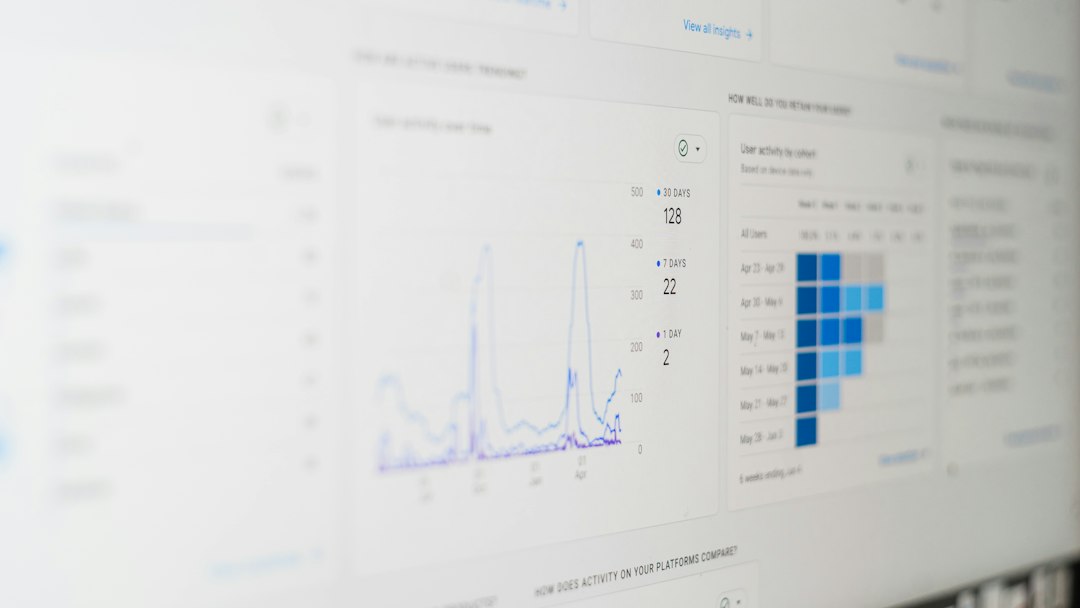
Good design reduces interpretation time. A busy dashboard slows people down. Keep the layout predictable.
A practical structure looks like this:
- Top summary row: spend, revenue, ROI, conversions, CPA, budget pacing.
- Trend section: weekly or daily performance over time.
- Channel table: paid search, paid social, email, organic, referral, affiliates.
- Campaign breakdown: campaign name, spend, leads, qualified leads, revenue, ROI.
- Creative or audience view: ad group, asset, message, segment, performance.
- Action notes: what changed, why, and who owns the next step.
Place filters where users expect them. Date range, channel, campaign, geography, device, and audience filters are usually enough. Do not add 25 filters just because your tool allows it.
Show targets, not just actuals
A number without context is weak. If cost per lead is $84, is that good or bad? The answer depends on the target, margin, sales win rate, and customer value.
Add targets beside actual performance:
- Target CPL: $75
- Actual CPL: $84
- Variance: 12% over target
Use color carefully. Red should mean action is needed. Green should mean the metric is on track. Avoid turning the dashboard into a Christmas tree. Too much color trains users to ignore signals.
Include attribution, but do not worship it
Attribution helps explain which channels assist conversion. It does not give perfect truth. A buyer may see a LinkedIn ad, search on Google, read three emails, and then book a demo after a direct visit. One model rarely captures that fully.
Use attribution to guide questions, not settle every argument. Include first touch, last touch, and multi-touch views if your data supports them. For many teams, a simple comparison of source, campaign, and CRM opportunity value is enough to improve spend decisions.
Automate refreshes and add quality checks
Manual reporting breaks under pressure. Someone forgets to update a sheet. A column shifts. A formula fails. Then the Monday meeting turns into a forensic audit.
Set automated refresh schedules. Daily is enough for many campaigns. High-spend ecommerce or paid search programs may need hourly updates.
Add basic checks:
- Spend should not be blank if campaigns are active.
- Revenue should not be negative unless refunds are included.
- Conversion totals should match source systems within an agreed tolerance.
- Cost per result should flag extreme spikes.
- CRM stages should update at least once per day.
The catch is that automation does not remove responsibility. Assign an owner. Someone must review the dashboard before leaders rely on it.

Build alerts for changes that matter
A dashboard should not wait for someone to inspect it. Add alerts for meaningful changes.
Examples include:
- CPA rises more than 20% week over week.
- Spend reaches 80% of monthly budget before the 20th day.
- Landing page conversion drops below 3%.
- A campaign spends more than $1,000 with zero qualified leads.
- ROAS falls below target for three straight days.
Avoid alert fatigue. If every minor movement triggers a message, users stop paying attention. Only alert on changes that require a decision.
Review and improve the dashboard every month
A campaign dashboard is not finished after launch. Channels change. Goals change. Sales feedback changes. Review the dashboard monthly with the people who use it.
Ask what they ignored. Ask what they exported. Ask what they still calculate by hand. If users keep downloading the same table, the dashboard is missing something.
Also remove stale sections. Honestly, it feels like some reporting tools punish discipline. A simple chart can take eight seconds to load because five unused widgets sit below it. Delete what does not help.
Final checklist before launch
- Goals are defined for each campaign type.
- Primary KPIs are visible in the first screen.
- Data sources are connected and documented.
- Metric definitions are agreed across marketing, sales, and finance.
- Targets and variance are shown beside actual results.
- Filters are useful but limited.
- Alerts are tied to real action thresholds.
- Ownership is assigned for maintenance and review.
A serious marketing campaign performance dashboard gives teams the confidence to act. It shows what happened, why it happened, and what should change next. Keep it focused, accurate, and tied to business outcomes. That is how reporting becomes management, not paperwork.