Choose the ecommerce platform that makes checkout, product sizing, inventory, and trust signals easiest to manage from day one. Baby clothing buyers move fast, compare sizes carefully, and leave carts often; the average online cart abandonment rate is 70.19% [source: Baymard Institute]. That means your platform must reduce doubt before checkout, not create more of it.
TLDR: Pick a platform that is easy to run, strong on mobile, and built for product variants like size, color, fabric, and age range. For example, a baby clothing store with 120 SKUs may actually manage 600+ variants once sizes and colors are included. If 1,000 shoppers visit each month and only 2.5% buy, even a small checkout improvement can mean several extra orders. Do not choose based on pretty templates alone.
Start with the type of store you plan to build
A small handmade babywear shop has different needs from a brand selling seasonal collections, gift bundles, and wholesale packs. Before comparing platforms, write down what you sell now and what you may sell in 12 months.
- Simple store: 20 to 100 products, limited sizes, direct shipping.
- Growing brand: many sizes, colors, gift sets, discounts, email marketing.
- Established store: warehouse stock, returns, loyalty points, wholesale accounts.
The platform should fit the next stage, not just the first week. Moving later is possible, but it is painful. Expect to waste time on file exports, broken URLs, and product photos that do not transfer cleanly.
Check product variant handling first
Baby clothing depends on variants. A romper may come in newborn, 0 to 3 months, 3 to 6 months, five colors, and two fabric options. That is where weak platforms start to creak.
Look for support for:
- Size, color, age, and fabric variants
- Clear size charts on product pages
- Low stock alerts per variant
- Separate product images for each color
- Bundle options for gift sets and multipacks
It drives me crazy that some tools make you click through three screens just to change stock for one size. For baby clothing, that is not a small flaw. It can cause overselling during busy periods.
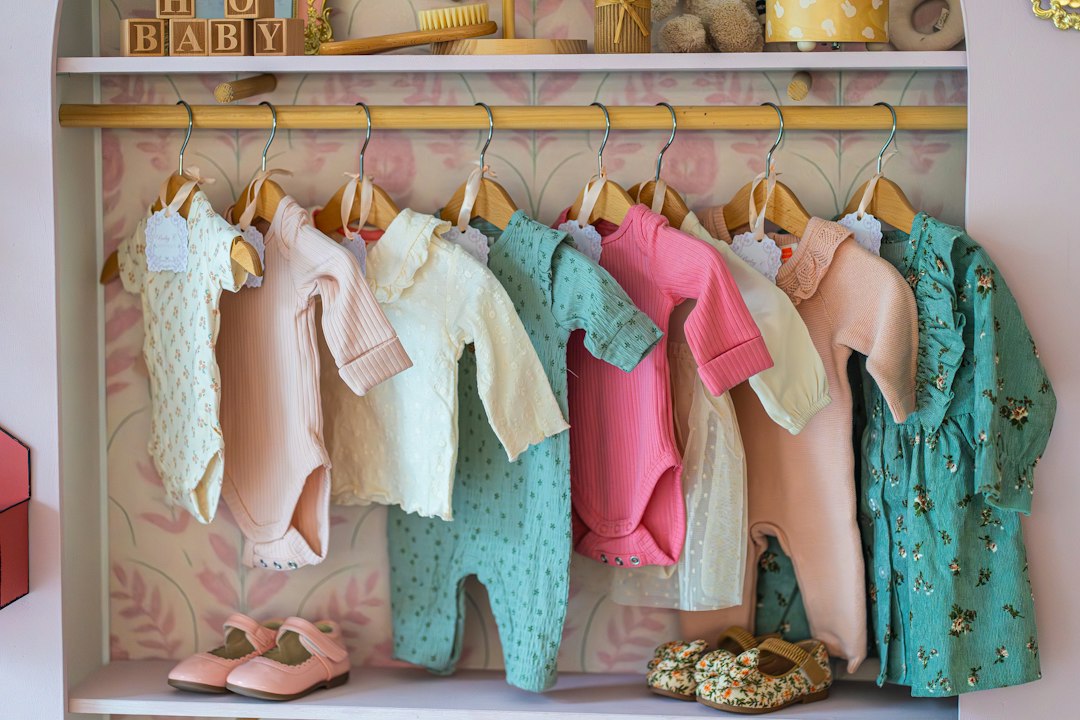
Prioritize mobile shopping
Many parents shop from a phone during short breaks. Your site must load quickly, show prices clearly, and make checkout feel safe. Test the demo store on your own phone before signing up.
Check these items:
- Can shoppers add a product to cart in under 10 seconds?
- Is the size guide easy to open?
- Are payment buttons visible without scrolling too much?
- Does the cart show delivery cost early?
- Can customers use Apple Pay, Google Pay, or PayPal?
A slow mobile site hurts trust. Parents buying baby clothes do not want mystery fees or clumsy checkout screens. They want clear sizing, safe payment, and fast delivery information.
Review costs beyond the monthly plan
The cheapest platform is not always the cheapest store. Add up the real cost before you commit.
- Monthly platform fee
- Payment processing fees
- Paid themes
- Apps for reviews, bundles, email, and returns
- Developer help, if needed
A platform at $29 per month can become $120 per month once you add review tools, size chart apps, gift wrap options, and email popups. That may still be fair, but you should know before launch.
Look at trust features for baby products
Baby clothing is personal. Buyers care about fabric, skin safety, washing, returns, and delivery reliability. Your platform should make this information easy to show.
Useful trust features include:
- Product reviews with customer photos
- Fabric and care sections
- Return policy blocks near checkout
- Secure payment badges
- Delivery estimates by region
If you sell organic cotton, bamboo, or sensitive-skin clothing, show proof clearly. Certifications, supplier details, and washing instructions can reduce support emails and returns.
Make inventory and fulfillment boring
Boring is good here. Orders should move cleanly from purchase to packing to shipping. If you sell baby clothes in many sizes, inventory errors can pile up fast.
Choose a platform that connects with your shipping carrier, label printer, accounting software, and email system. If you sell on marketplaces too, make sure stock sync works across channels.
Image not found in postmeta
Run a small test before launch. Add five products, create fake orders, print labels, process a return, and send tracking emails. This test often reveals problems faster than reading feature pages.
Compare the main platform types
- Hosted platforms such as Shopify, Wix, or BigCommerce are usually easier to run. Hosting, security, and updates are handled for you.
- WordPress with WooCommerce gives more control, but you must manage hosting, updates, plugins, and site speed.
- Marketplace-first selling can work for early demand testing, but it limits branding and customer data.
For most new baby clothing stores, a hosted platform is the safer first choice. It lets you focus on products, photos, shipping, and customer service. A custom setup can wait until revenue proves the need.
Final checklist before you choose
- Test the checkout on mobile.
- Create products with real size and color variants.
- Calculate total monthly cost with apps included.
- Check refund, exchange, and gift order support.
- Confirm SEO controls for titles, URLs, and image alt text.
- Ask support one real question and time the reply.
The best ecommerce platform for a baby clothing store is the one that keeps daily work simple while making shoppers feel safe. Pick the system that handles variants, mobile checkout, inventory, and trust without constant fixes. Pretty design helps, but smooth buying and clean operations matter more.