Pick Figma when you need to design, review, and polish a product before code. Pick Lovable when you want to turn an idea into a working app fast. That is the short version. The better choice depends on your workflow, your team, and how much control you need.
TLDR
Figma is best for product teams that care about design quality, team feedback, design systems, and handoff. Lovable is best for founders, builders, and small teams that want a usable MVP in hours, not weeks. For example, a solo founder could prompt Lovable to build a booking app in one afternoon, then use Figma later to refine the UI for real users. In a team of 10, Figma may save 20% to 30% of review time because everyone can comment on the same screen.
The simple difference
Figma is a design tool. Lovable is an AI app builder.
That sounds obvious. But it changes everything.
Figma helps you plan how a product should look and feel. You create screens. You test flows. You build reusable components. You share ideas with designers, product managers, engineers, and clients.
Lovable lets you describe an app in plain language. Then it creates a working product. It can generate pages, logic, databases, and basic features. It feels closer to “build me this app” than “help me draw this screen.”
Use Figma when design is the job
Figma shines when the product needs care before anyone writes code.
Use it for:
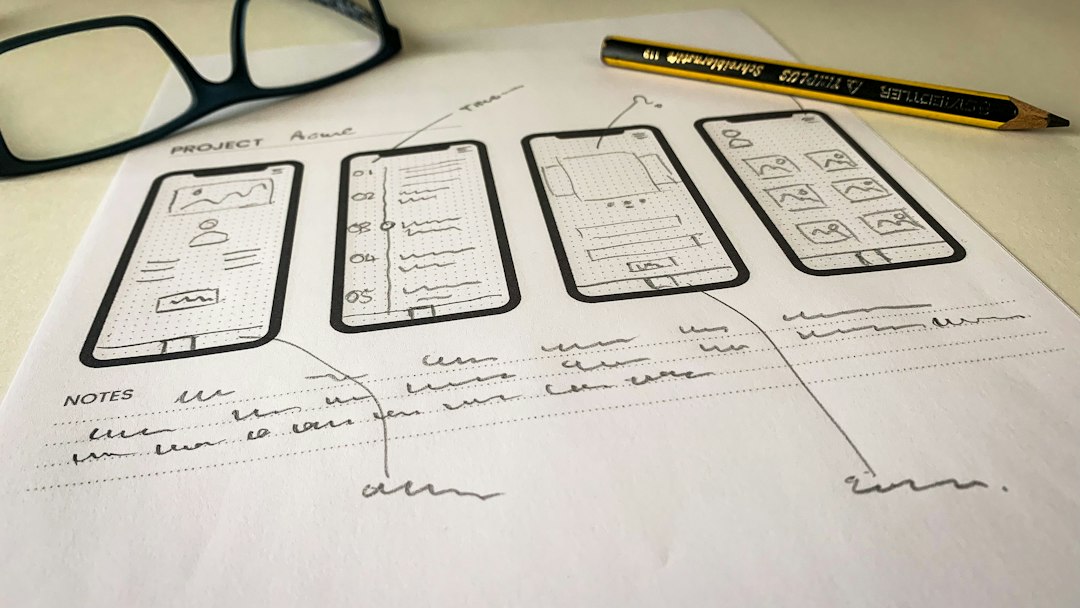
- Wireframes for early ideas.
- High fidelity mockups for polished screens.
- Clickable prototypes for testing flows.
- Design systems with reusable buttons, cards, forms, and styles.
- Team feedback with comments on exact parts of a screen.
- Developer handoff with spacing, colors, and assets.
Figma is great for teams that ask questions like:
- Does this checkout feel simple?
- Can users find the “Cancel plan” button?
- Should this button be blue or green?
- Does the mobile layout still work?
It is also great when brand matters. If your product must feel premium, friendly, serious, playful, or trustworthy, Figma gives you room to shape that feeling.
The annoying part? Figma does not build the product for you. You can make a beautiful prototype. You can click through it. You can impress the team. But someone still has to code it. Honestly, it feels like cooking a perfect meal that nobody can eat yet.
Use Lovable when speed is the job
Lovable is for building fast. Very fast.
You type what you want. It creates an app. You ask for changes. It updates the app. You connect services. You test. You ship a rough version.
That makes Lovable very useful for:
- MVPs for startup ideas.
- Internal tools for teams.
- Landing pages with simple flows.
- Dashboards with basic data views.
- Admin panels for small operations.
- Proofs of concept for investors or clients.
Say you want to test a small app for dog walkers. It needs sign up, booking, payment status, and a walker dashboard. In Figma, you can design the screens. In Lovable, you can create a working version that people may actually try.
That is powerful. It also gets messy.
The tool may misunderstand your prompt. A button may do the wrong thing. A layout may look fine on desktop and weird on mobile. Expect to waste time on tiny fixes that would take 10 seconds in a design file but take three prompts in an AI builder.

Workflow 1: The product design team
If you have designers, product managers, and engineers, Figma is usually the safer base.
Why? Because teams need shared thinking. They need to compare options. They need to review flows before code starts. They need to see what changed between version one and version two.
Figma keeps that process clean.
A common workflow looks like this:
- Product manager writes the problem.
- Designer creates wireframes in Figma.
- Team comments on the flow.
- Designer builds polished screens.
- Users test the prototype.
- Engineers build the real product.
Lovable can still help here. It can build a quick demo from a concept. But in a larger product team, it should not replace design thinking. If the main issue is user confusion, AI code will not magically fix it.
Workflow 2: The solo founder
For a solo founder, Lovable can feel like a cheat code.
You may not have a designer. You may not have a frontend developer. You may not even know if the idea is worth building. Lovable helps you test it before your motivation disappears.
A simple workflow could be:
- Write a one paragraph app idea.
- Ask Lovable to build the first version.
- Test it with five users.
- Fix the biggest issues.
- Use Figma later for cleaner UI and brand style.
This is where Lovable wins hard. You do not need a perfect design system on day one. You need proof. Will people click? Will they sign up? Will they pay?
Still, do not skip taste forever. Early users forgive rough edges. Paying users forgive fewer.
Workflow 3: The agency or client studio
Agencies often need both tools.
Figma is perfect for client approval. Clients like to see screens. They like to comment. They like to ask why the logo is “a little bigger.” Yes, that part is painful. But Figma makes the discussion visible.
Lovable can help agencies create quick demos. Instead of only showing a static mockup, the team can show a working concept. That can make a pitch feel real.
A smart agency setup might be:
- Figma for mood, layout, branding, and sign off.
- Lovable for quick prototypes and simple client tools.
- Developers for production apps that need scale, safety, and custom logic.
The risk is promising too much. A Lovable demo can look like a finished product. It often is not. Be clear with clients. A demo is a demo.
Workflow 4: The internal tools team
Internal tools are a sweet spot for Lovable.
Many internal products do not need fancy animation or perfect branding. They need to work. A sales team may need a lead tracker. An operations team may need an inventory page. A support team may need a ticket summary tool.
Lovable can build these quickly. Figma may be overkill if the tool is small and used by 12 people inside one company.
But if that internal tool grows, bring Figma back. Once 200 employees use it daily, bad UI becomes expensive. One confusing form can waste hours each week.
Where Figma beats Lovable
- Visual control: You can tune every pixel.
- Brand design: It is easier to create a unique style.
- Design systems: Components stay consistent.
- Feedback: Comments are exact and easy to track.
- User testing: Prototypes are simple to share.
Figma is better when the cost of a bad interface is high. Think finance apps, health tools, ecommerce checkout, or complex SaaS products.
Where Lovable beats Figma
- Speed: You can get a working app quickly.
- Validation: Users can try the real thing.
- Small teams: Fewer people are needed at the start.
- Internal tools: Useful apps can ship fast.
- Idea testing: It lowers the fear of starting.
Lovable is better when your main question is not “Is this perfect?” It is “Should this exist?”
So, which one should you choose?
Choose Figma if you need clarity, polish, and team alignment before building. It is the better tool for serious product design work.
Choose Lovable if you need a real app quickly and can accept rough edges. It is the better tool for MVPs, experiments, and small tools.
Use both if you want the best mix. Start with Lovable to test the idea. Move to Figma when the experience needs to feel sharp. Then build the final version with the right tech stack.
The honest answer is simple. Figma helps you think before you build. Lovable helps you build before you overthink. Pick the one that saves you from the bigger mistake.