Choosing retail management software is rarely just about tracking products. A good platform should help a business understand what is selling, what is sitting on shelves, how customers behave, and where daily operations are losing time. LightBlue Software positions itself as a practical business management solution for companies that want clearer control over inventory, sales, customer data, and everyday retail workflows.
TLDR: LightBlue Software is a useful option for small to mid-sized retailers that need inventory tracking, sales oversight, customer management, and operational reporting in one place. For example, a boutique carrying 1,200 SKUs could use automated stock alerts to reduce missed reorder points and potentially cut stockouts by 15–25%. Its biggest strengths are centralized data, user-friendly workflows, and visibility into business performance. It is best suited for businesses that want an organized management hub rather than a highly complex enterprise system.
What Is LightBlue Software?
LightBlue Software is designed to help businesses manage core retail and operational tasks from a centralized system. Instead of relying on separate spreadsheets, point-of-sale records, stock lists, and customer notes, users can bring key information into one digital workspace. This makes it easier to monitor products, process sales, analyze trends, and keep business decisions grounded in accurate data.
While the platform can be useful across different industries, it is especially relevant for retailers, small distributors, specialty shops, and service-based businesses that also sell physical goods. Its appeal lies in simplifying processes that often become messy as a company grows: inventory control, customer communication, order management, reporting, and team coordination.
Inventory Management Features
Inventory control is one of the most important areas where LightBlue Software can add value. For many retailers, poor stock visibility leads to over-ordering slow products and under-ordering bestsellers. LightBlue helps address this by offering tools to record, organize, and monitor stock levels.
- Product tracking: Businesses can maintain a structured product database with item names, quantities, categories, prices, suppliers, and related notes.
- Stock level monitoring: Users can check what is available, what is running low, and which items may need reordering.
- Inventory categorization: Products can be grouped by type, brand, department, season, or supplier, making large catalogs easier to manage.
- Reorder planning: Low-stock alerts and historical sales information can help managers make smarter purchasing decisions.
- Inventory reporting: The software can support reviews of fast-moving, slow-moving, and high-margin products.
The real benefit is not just knowing how much stock is on hand. It is understanding how inventory connects to revenue. A retailer can identify whether cash is tied up in products that rarely sell, or whether popular products are being reordered too late. Over time, this can help improve profit margins and reduce waste.
Retail Sales and Point-of-Sale Support
For retail businesses, the sales process needs to be quick, accurate, and easy for staff to use. LightBlue Software supports retail operations by helping users connect product information, customer details, and transaction records. This gives business owners a clearer picture of what is being sold and when.
Depending on the business setup, LightBlue can help manage sales records, pricing, discounts, customer orders, and transaction histories. A clothing store, for instance, could review weekly sales to see that accessories generate only 12% of revenue but deliver higher margins than seasonal clothing. That kind of insight can influence merchandising, promotions, and purchasing priorities.

Retail management is increasingly data-driven. Even smaller stores need more than a cash register and a notebook. LightBlue helps businesses review patterns such as peak shopping days, popular product combinations, repeat buyers, and underperforming categories. These insights can be used to build better promotions and improve staff scheduling.
Customer and Business Management Tools
A strong retail system should not stop at inventory. Customer relationships are also central to long-term growth. LightBlue includes business management features that can help users store customer profiles, manage communication, and track purchase activity.
- Customer records: Store names, contact details, buying history, preferences, and notes in one place.
- Order histories: Review previous purchases to support returns, recommendations, and personalized service.
- Task management: Assign follow-ups, supplier calls, stock checks, or administrative tasks to team members.
- Scheduling: Plan business activities, appointments, promotions, or internal deadlines.
- Document organization: Keep invoices, purchase records, and customer-related files easier to access.
These tools are valuable because they reduce the risk of information being scattered across individual employees, paper records, or disconnected apps. When customer and business data are centralized, teams can work more consistently. A returning customer does not have to explain their preferences again, and a manager can quickly review what happened with a previous order or issue.
Reporting and Analytics
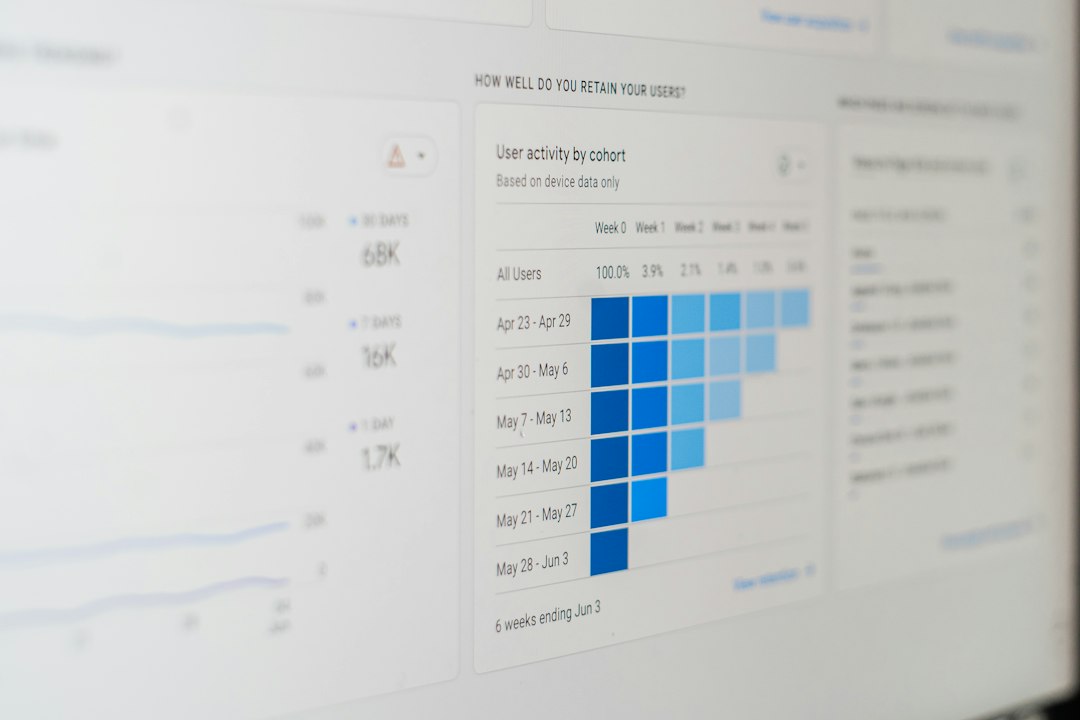
One of LightBlue Software’s strongest business benefits is the ability to turn daily activity into useful reports. Retailers often collect data without fully using it. LightBlue helps convert information about sales, stock, customers, and operations into reports that support decision-making.
Useful reporting areas may include:
- Sales performance: Track revenue by day, week, month, product category, or location.
- Inventory movement: Identify fast-selling products, stagnant stock, and seasonal demand changes.
- Customer trends: See repeat purchase behavior, average order value, and customer preferences.
- Operational efficiency: Review workload, pending tasks, and workflow bottlenecks.
- Profitability indicators: Compare sales volume with margins and purchasing costs.
For example, if reports show that 20% of products generate 70% of monthly revenue, a business can prioritize those items in displays, marketing, and reorder schedules. This type of analysis is especially helpful for smaller companies where every purchasing decision affects cash flow.
Ease of Use and Daily Workflow
Software only delivers value if teams actually use it. LightBlue’s interface is built around practical business workflows rather than unnecessary complexity. Users can typically access product details, customer information, tasks, and reports without needing advanced technical knowledge.
This makes it appealing for businesses transitioning away from spreadsheets. Instead of training staff on several separate tools, managers can create a more consistent process in one platform. New employees can learn where information is stored, how stock is updated, and how customer records should be maintained.

Strengths of LightBlue Software
LightBlue Software has several advantages for retailers and business owners looking for better organization:
- Centralized information: Sales, inventory, customer data, and tasks are easier to manage together.
- Improved visibility: Owners can monitor performance without digging through multiple spreadsheets.
- Better inventory decisions: Stock data and reporting can reduce guesswork in purchasing.
- Customer-focused management: Purchase history and notes help improve service quality.
- Scalable structure: The system can support businesses as they add more products, customers, or staff.
Possible Limitations
No software is perfect for every business. Companies with highly specialized retail requirements, complex warehouse operations, or large enterprise integrations may need to check whether LightBlue supports their exact workflow. Businesses should also consider how much setup time is required to import product records, clean existing data, and train staff.
Another important point is customization. Smaller retailers may appreciate simplicity, while larger operations may want deeper automation, advanced permissions, or industry-specific integrations. Before committing, it is worth mapping your current process and comparing it with the platform’s available features.
Who Should Consider LightBlue Software?
LightBlue Software is a good fit for businesses that want to move from reactive management to organized, data-supported operations. It is particularly useful for retailers that handle a moderate product catalog, serve repeat customers, and need clearer reporting. Boutique stores, specialty retailers, local distributors, appointment-based businesses with retail sales, and growing small companies may all benefit from its structure.
For a business owner who often asks, “What do we have in stock, what sold best this month, and which customers should we follow up with?”, LightBlue can provide a more reliable answer than disconnected manual systems.
Final Verdict
LightBlue Software offers a practical mix of inventory, retail, and business management features for companies that need better control without overwhelming complexity. Its value comes from centralizing daily operations, making stock easier to manage, and giving owners clearer insight into sales and customer behavior.
It may not replace a heavily customized enterprise retail platform, but for many small and mid-sized businesses, it provides the structure needed to operate more efficiently. If your current system depends on spreadsheets, memory, and scattered notes, LightBlue Software is worth considering as a more organized and insight-driven alternative.