Choose HubSpot if your marketing reports must connect leads, deals, emails, and sales activity in one place. Choose Looker Studio if you want flexible dashboards that pull from many data sources and cost less.
TLDR: HubSpot is better for teams that live inside HubSpot CRM and want clean revenue reporting without building everything from scratch. Looker Studio is better for teams that need custom dashboards across Google Ads, GA4, Search Console, spreadsheets, and other tools. For example, a SaaS team spending $12,000 per month on ads may use Looker Studio to track cost per lead by channel, then use HubSpot to show that 400 leads became 38 deals and $74,000 in pipeline. If you want speed, pick HubSpot. If you want control, pick Looker Studio.
HubSpot vs Looker Studio: the simple version
Marketing reporting should not feel like solving a mystery in a foggy basement. Yet here we are. Data lives in ad tools, email tools, CRM systems, analytics platforms, and random spreadsheets named things like FINAL final report new v7.
HubSpot and Looker Studio both help you turn that mess into reports. But they do it in very different ways.
HubSpot is a full marketing and sales platform. Its reporting works best when your contacts, campaigns, emails, forms, deals, and sales actions already live there.
Looker Studio is a dashboard builder from Google. It connects to many sources and helps you make visual reports. It is great for mixing data from Google tools and other platforms.

What HubSpot does best
HubSpot shines when you care about lead quality, not just traffic. It can show what happened before and after a form fill. That is a big deal.
You can track:
- Website visits
- Form submissions
- Email opens and clicks
- Ad campaign results
- Lead source
- Deal stage
- Revenue
- Sales activity
This helps answer the scary question: which marketing actually creates customers?
HubSpot makes that answer easier. If a lead clicks a LinkedIn ad, downloads a guide, joins a demo, and later buys, HubSpot can tie much of that together.
That is the good part.
The annoying part? HubSpot reports can feel boxed in. You get nice templates. You get CRM data. But when you want a weird custom view with five outside data sources, things can get clunky. Expect some head scratching.
What Looker Studio does best
Looker Studio is more like a blank canvas. That can be fun. It can also be a tiny nightmare if your data is messy.
It works well with:
- Google Analytics 4
- Google Ads
- Google Search Console
- Google Sheets
- BigQuery
- YouTube Analytics
- Third party connectors
It is great for channel reports. You can build a dashboard for traffic, conversions, ad spend, SEO clicks, landing page results, and campaign trends.
It is also easy to share. Your boss can open a live report instead of asking for “the latest numbers” every Monday morning. Small joy. Big impact.
Honestly, it feels like Looker Studio gives you freedom, then quietly asks you to pay for that freedom with setup time. Some connectors break. Some fields do not match. Blended data can act moody. One report refresh may take 8 seconds. Another may stare back at you like a sleepy cat.
Setup: which one is easier?
HubSpot is easier if your team already uses HubSpot.
Your CRM data is already there. Your email data is there. Your landing pages may be there too. You can create dashboards with less technical work.
Looker Studio is easier if your data lives in Google tools.
GA4, Google Ads, and Search Console connect fast. Google Sheets is also simple. If your team already tracks campaign notes and targets in sheets, Looker Studio can turn that into a decent report quickly.
But outside connectors can add cost. They can also add drama. Meta Ads, LinkedIn Ads, HubSpot, TikTok, and other tools often need paid connectors or manual exports.
Reporting quality: who tells the better story?
HubSpot tells a better customer journey story.
It can show how a visitor became a lead, how that lead became a sales opportunity, and how that opportunity became revenue. This is gold for B2B teams.
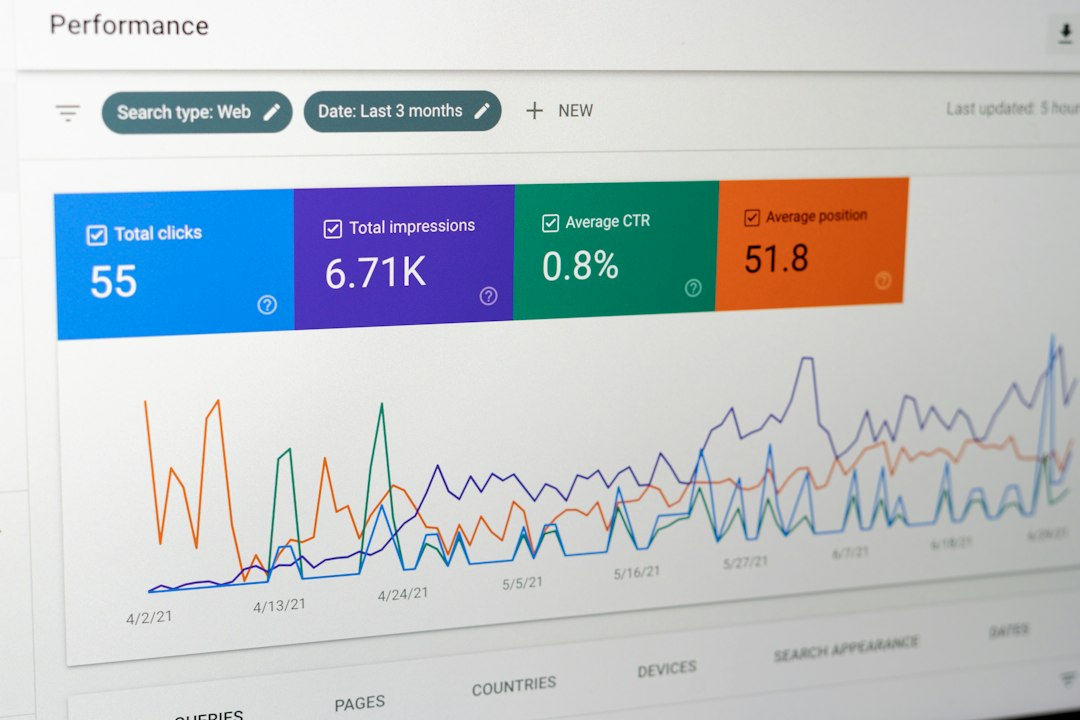
Looker Studio tells a better channel performance story.
It can show how paid search, organic search, social, email, and referral traffic perform side by side. It is useful for campaign reviews and executive snapshots.
Here is a simple split:
- Need revenue attribution? HubSpot wins.
- Need cross channel dashboards? Looker Studio wins.
- Need sales and marketing in one view? HubSpot wins.
- Need custom charts from mixed data? Looker Studio wins.
Price: the sneaky part
Looker Studio itself is free. That sounds amazing. And it can be.
But “free” gets fuzzy fast. If you need connectors for non-Google tools, you may pay monthly. If you need clean data models, someone must build them. That person may be you. Sorry.
HubSpot reporting depends on your HubSpot plan. Basic reporting may be enough for small teams. Advanced custom reporting often needs higher tiers. Those tiers can get pricey.
So the real question is not just price. It is total effort.
Ask yourself:
- Who will build the reports?
- Who will fix broken data?
- How often will dashboards change?
- Do we need revenue reports or traffic reports?
- Will sales use the same system?
Best use cases for HubSpot
HubSpot is best for teams that want marketing and sales data in one place.
Pick HubSpot if:
- You use HubSpot CRM every day.
- You care about lead source and pipeline.
- You need reports for sales and marketing meetings.
- You run email campaigns, forms, and landing pages in HubSpot.
- You want less manual setup.
Example: a B2B agency gets 900 website visits from a webinar campaign. HubSpot shows 76 form fills, 22 sales calls, 9 proposals, and 3 closed deals. That is useful. That is not just traffic. That is money talk.
Best use cases for Looker Studio
Looker Studio is best for teams that want flexible visual reports across many platforms.
Pick Looker Studio if:
- You need dashboards for SEO, paid ads, or web analytics.
- You use GA4 and Google Ads often.
- You report to clients or executives.
- You want custom layouts and charts.
- You are okay with some setup work.
Example: an ecommerce team tracks $30,000 in monthly ad spend. Looker Studio shows ROAS by channel, conversion rate by landing page, and weekly revenue trends. One dashboard. Less spreadsheet juggling. Fewer “quick report?” messages.

Where HubSpot can frustrate you
HubSpot can feel too locked down. Some reports are easy. Others need upgrades. Custom objects, attribution settings, and advanced filters may take time to set up.
It also works best when your data quality is strong. If your team forgets to update deal stages, your reports become fancy fiction. Pretty fiction, but still fiction.
Where Looker Studio can frustrate you
Looker Studio can be fragile. A connector changes. A field name shifts. A chart breaks. Now your clean dashboard has a sad red error box.
Data blending is also tricky. Joining ad spend, leads, and revenue sounds simple. It rarely is. Different tools use different names, dates, and rules. It drives me crazy that “campaign” can mean three different things in three different tools.
Can you use both?
Yes. And many teams should.
Use HubSpot as the source for lead, deal, and revenue reporting. Use Looker Studio for broader campaign dashboards and channel views.
This combo works well when marketing needs detail and leadership needs a clean snapshot.
A smart setup might look like this:
- HubSpot tracks contacts, lifecycle stages, deals, and revenue.
- GA4 tracks website behavior.
- Google Ads tracks ad cost and clicks.
- Looker Studio shows the weekly performance dashboard.
- HubSpot shows lead quality and sales results.
The final pick
If your main goal is proving marketing impact on revenue, pick HubSpot. It gives you the sales connection that most dashboard tools do not have by default.
If your main goal is building flexible dashboards from many sources, pick Looker Studio. It is cheaper to start and more open for custom reporting.
For many teams, the best answer is not either/or. It is both. HubSpot tells you who became a customer. Looker Studio shows how every channel performed. Together, they turn marketing reporting from a guessing game into something your team can actually use.