Creating content without a plan feels like cooking without a recipe. You might get lucky. But most days, you end up stressed and scrambling. That is where content calendar tools come in. They help you plan, organize, and schedule your content without chaos. And the best part? They make the whole process feel simple and even fun.
TLDR: Content calendar tools help you plan, organize, and schedule your content in one place. They save time, reduce stress, and keep your team on track. With the right tool, you can see what is coming next and never miss a deadline. Think of them as your content command center.
What Is a Content Calendar Tool?
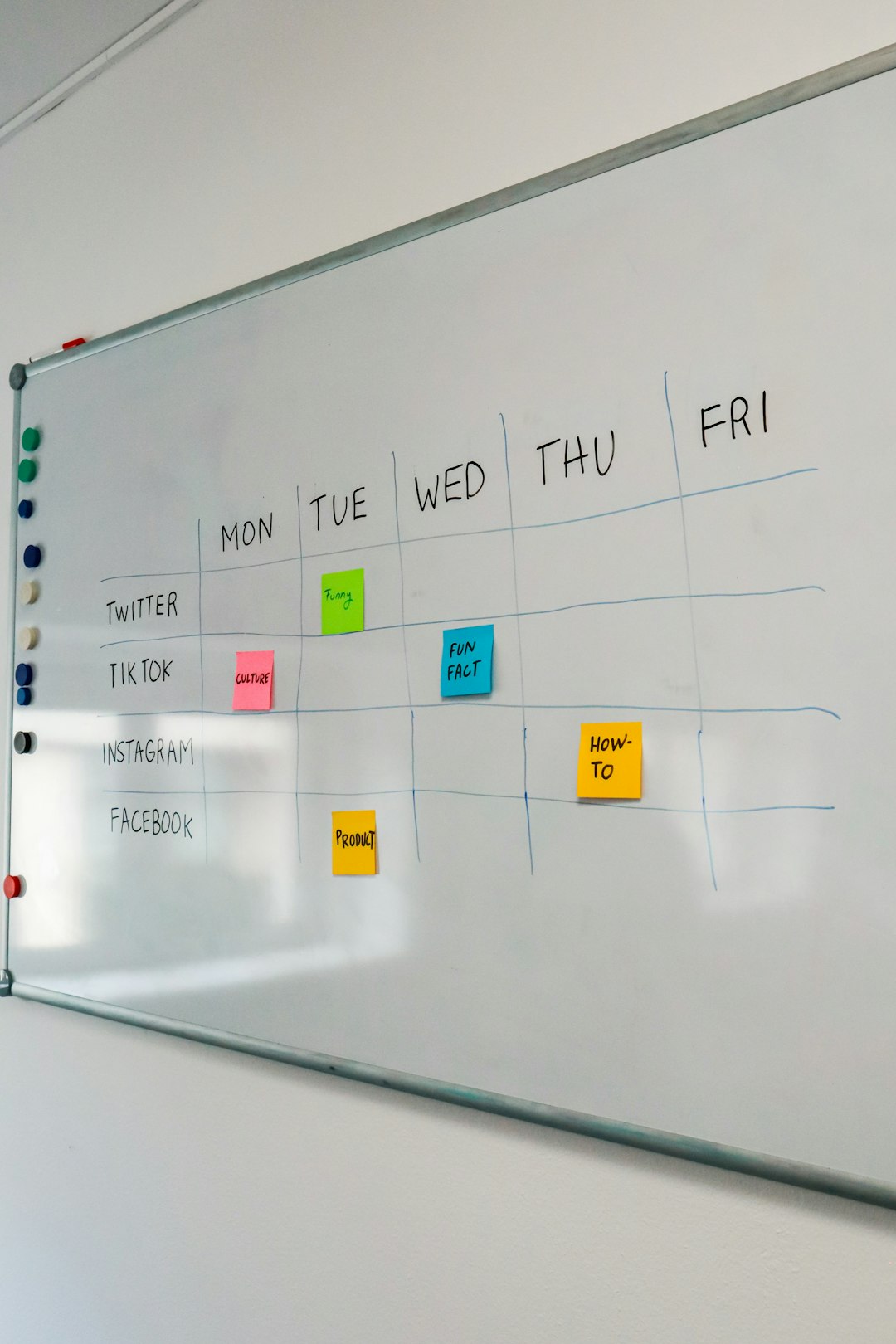
A content calendar tool is a digital planner for your content. It shows what you will post. And when. And where.
It can manage:
- Blog posts
- Social media posts
- Email newsletters
- Videos
- Podcasts
- Marketing campaigns
Instead of sticky notes and messy spreadsheets, everything lives in one clean dashboard. You can see your weekly plan. Your monthly plan. Even your entire year.
It is like having a wall calendar. But smarter. And searchable.
Why You Need One
Content creation is exciting. But it can also be overwhelming. Ideas pile up. Deadlines sneak up on you. Suddenly you are posting at midnight.
A content calendar tool fixes that.
Here’s why it matters:
- Keeps you organized – No more guessing what to post.
- Saves time – Plan once. Relax later.
- Improves consistency – Your audience hears from you regularly.
- Reduces stress – Everything is scheduled ahead.
- Boosts teamwork – Everyone knows their tasks.
Consistency builds trust. Trust builds audience. Audience builds business.
Key Features to Look For
Not all tools are the same. Some are simple. Some are powerful. The best one depends on your needs.
Here are features that really matter:
1. Visual Calendar View
You should see your content laid out clearly. Daily. Weekly. Monthly.
A drag-and-drop calendar makes planning easy. Move posts around without stress.
2. Scheduling and Automation
The tool should publish content automatically. Especially for social media.
Set the time. Click schedule. Done.
3. Collaboration Tools
If you work with a team, this is huge.
- Assign tasks
- Add comments
- Attach files
- Track progress
No more endless email threads.
4. Content Storage
Some tools allow you to store ideas and drafts. This keeps everything in one place.
Your ideas will not disappear again.
5. Analytics Integration
Good tools track performance. You can see what works. And what does not.
That means smarter content decisions.
Types of Content Calendar Tools
There is no one-size-fits-all solution. Different creators need different tools.
Simple Calendar Tools
These are perfect for beginners.
They are easy to use. Clean layout. Basic scheduling.
Great for:
- Solo bloggers
- Freelancers
- Small startups
Social Media-Focused Tools
Built for scheduling social posts.
They often include:
- Auto-publishing
- Hashtag suggestions
- Post previews
- Engagement tracking
Perfect for brands active on multiple platforms.
Advanced Marketing Platforms
These are powerful systems.
They manage:
- Blogs
- Emails
- Social media
- Campaign funnels
- Analytics dashboards
Best for larger teams and growing businesses.

How To Use a Content Calendar Tool Step by Step
Getting started is easier than you think.
Step 1: Define Your Goals
Ask yourself:
- Do I want more website traffic?
- More engagement?
- More leads?
- More sales?
Your goals shape your plan.
Step 2: Choose Your Channels
Where will you post?
- Blog
- YouTube
You do not have to be everywhere. Just be consistent where it matters.
Step 3: Brainstorm Content Ideas
Make a list. Do not overthink.
Think about:
- Common questions
- Tips and tutorials
- Behind-the-scenes stories
- Customer case studies
- Industry news
Add all ideas into your content calendar tool.
Step 4: Assign Dates
Spread content evenly.
Avoid posting everything in one week and disappearing the next.
Balance is key.
Step 5: Create and Schedule
Write. Design. Record.
Then upload everything into your calendar tool and schedule it.
Your future self will thank you.
Tips For Making Your Calendar Work
A tool is only powerful if you use it well.
Here are smart habits to develop:
- Plan one month ahead – It reduces panic.
- Review weekly – Adjust if needed.
- Track performance – Improve each month.
- Leave room for trends – Stay flexible.
- Repurpose content – Work smarter, not harder.
For example, one blog post can become:
- Three social posts
- One email newsletter
- A short video
- Multiple quote graphics
Your calendar tool helps you map all of that clearly.
Common Mistakes To Avoid
Even with great tools, mistakes happen.
Overplanning
Planning every single detail for a year can backfire. Markets change. Trends shift. Leave space for updates.
Underplanning
Only planning one week ahead creates stress.
Ignoring Analytics
Data tells a story. Listen to it. If something works, do more of it.
Not Updating the Calendar
If your tool is outdated, it becomes useless. Keep it fresh.
Content Calendar for Different Roles
Content calendars are not only for marketers.
For Bloggers
Plan publishing dates. Track keywords. Organize drafts.
For Social Media Managers
See all upcoming posts. Balance promotions and value content. Track engagement.
For Business Owners
Keep marketing aligned with launches and promotions.
For Agencies
Manage multiple clients. Separate calendars. Avoid confusion.

The Benefits Over Time
At first, using a content calendar feels like extra work.
But after a few weeks, magic happens.
You notice:
- Fewer last-minute rushes
- Higher quality posts
- Better team communication
- Stronger brand voice
- Steady audience growth
Momentum builds. And momentum is powerful.
Making Content Planning Fun
Yes, planning can actually be fun.
Try this:
- Color-code different content types.
- Celebrate publishing milestones.
- Schedule creative brainstorming sessions.
- Review wins at the end of each month.
Gamify your process.
Turn it into a challenge. Can you stay consistent for 30 days? 60 days? 90 days?
Your tool becomes your scoreboard.
Final Thoughts
Content creation without structure leads to burnout.
Content creation with a calendar leads to growth.
A content calendar tool keeps your ideas organized. Your deadlines clear. Your team aligned.
It removes guesswork. It reduces stress. It increases consistency.
And consistency wins every time.
If you want to take your content seriously, start planning it seriously.
Open a calendar tool. Add your next idea. Pick a date.
One small step today can transform your entire content strategy tomorrow.