Miro is the best all-round choice for online whiteboarding and product workshops, while FigJam wins for design-heavy teams and Mural fits structured facilitation best. Miro says more than 90 million people use its platform, which explains why it often feels like the default pick for remote product work [source: Miro].
TLDR: Pick Miro if your team runs mixed product workshops, roadmap sessions, retros, and discovery work. Pick FigJam if your team already lives in Figma and wants fast flows from ideas to interface design. Pick Mural if you run highly guided workshops with clients or large groups. For example, a 12-person product kickoff can usually get from problem framing to voted priorities in about 60–90 minutes in Miro or Mural, while FigJam may save design teams 10–15 minutes by keeping everything close to their Figma files.
Quick Verdict: Which Tool Should You Choose?
- Miro: Best for product managers, cross-functional teams, startup teams, and mixed workshop formats.
- FigJam: Best for UX, product design, design critiques, wireframe discussions, and product teams using Figma.
- Mural: Best for consultants, facilitators, enterprise teams, training sessions, and client workshops.
If you want one tool that can handle almost anything, choose Miro. If your workshop ends with screens, prototypes, or design tasks, choose FigJam. If your session needs clean facilitation, voting, timers, and prepared steps, choose Mural.
Miro: The Most Flexible Option
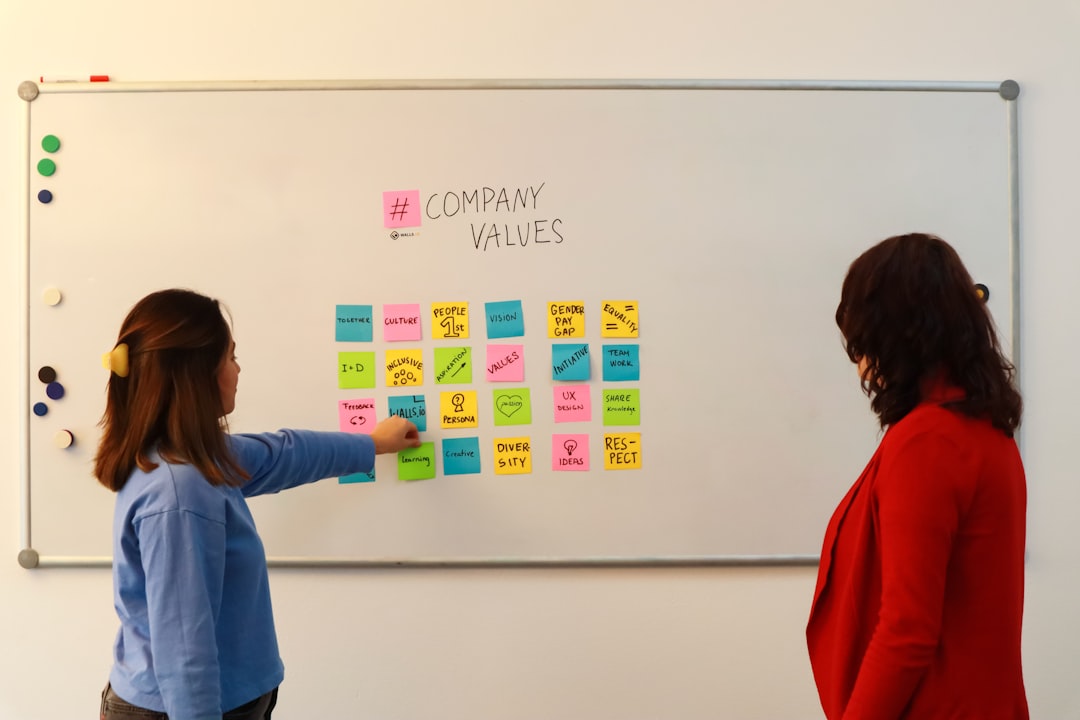
Miro feels like a giant product room that never runs out of wall space. You can map user journeys, build roadmaps, sort research, run retros, sketch flows, and host strategy sessions. It works well for both messy brainstorming and polished stakeholder meetings.
The template library is one of its biggest strengths. You get product canvases, opportunity solution trees, design sprints, impact mapping, prioritization grids, and retrospectives. That makes it useful for teams that do not want to create every workshop from scratch.
The catch is that Miro can get messy fast. A board with 300 sticky notes, 15 frames, and five people zooming around can feel like a junk drawer. New users also need a few minutes to understand frames, comments, voting, and presentation mode. Not awful. Just slightly annoying when the meeting clock is ticking.
Best for: product discovery, sprint planning, roadmap work, journey mapping, retros, strategy sessions, and mixed team workshops.
FigJam: Best for Design-Led Product Teams
FigJam is fast, friendly, and very easy to like. It has a lighter feel than Miro. The interface is simple, the sticky notes are fun, and the reactions make workshops feel less stiff. Designers pick it up almost instantly because it sits inside the Figma family.
Its biggest advantage is the link between whiteboarding and design work. A team can brainstorm a checkout flow in FigJam, agree on the main user path, then move into Figma to build screens. That handoff feels smooth. No awkward export dance. No hunting through five tools after the meeting.
FigJam is not as deep as Miro for complex workshop systems. It has templates, voting, timers, stamps, and widgets, but it feels best when the session is light, quick, and visual. It drives me crazy that non-design stakeholders sometimes treat it like “the designer’s tool,” even when the board is meant for everyone.
Best for: design critiques, UX mapping, ideation, early wireframes, critique prep, product flows, and teams already paying for Figma.

Mural: Best for Facilitated Workshops
Mural is built for people who run workshops as a serious job. Consultants, coaches, innovation teams, and enterprise facilitators will feel at home. It gives strong control over the room. You can guide people through steps, keep attention in one area, lock content, run votes, and manage timing.
Mural has a calm structure that works well for client sessions. You can set up a board with clear stages, then move people through each activity. That matters when participants are not used to whiteboarding tools. A good Mural session can feel almost like a training room with walls, tables, and prompts.
The downside is speed. Mural can feel a bit heavier than FigJam. Some actions take just a second longer than expected, which does not sound like much until 20 people are dragging notes during a timed exercise. It is still strong, but it feels more formal.
Best for: client workshops, enterprise training, innovation sessions, service design, structured brainstorming, and large facilitated meetings.
Feature Comparison
- Ease of use: FigJam is the simplest. Miro is easy after practice. Mural is clear but more facilitator-focused.
- Templates: Miro has the broadest range. Mural has strong workshop templates. FigJam has useful, lighter templates.
- Design workflow: FigJam wins because of its close tie to Figma.
- Product management: Miro is strongest for roadmaps, research sorting, prioritization, and planning.
- Facilitation: Mural shines for guided sessions and client work.
- Enterprise use: Miro and Mural both serve larger teams well. FigJam works best when Figma is already approved.
Pricing and Team Fit
Pricing changes often, so check each vendor before you commit. In general, all three offer free or starter options, then charge more for team features, admin controls, private boards, and security. The real cost is not only the subscription. It is also training, cleanup, and how often people actually open the tool.
If only designers use FigJam, its value drops. If Miro becomes a dumping ground for every idea ever spoken, people stop trusting the boards. If Mural is used for casual brainstorming, it may feel too formal. The best tool is the one your team will use without sighing.
Final Recommendation
Choose Miro if you need one flexible whiteboard for most product work. Choose FigJam if your product process is tightly connected to Figma and design output. Choose Mural if your workshops need structure, facilitation, and control.
For most product teams, Miro is the safest default. For design-led squads, FigJam is faster and cleaner. For consultants and enterprise facilitators, Mural is the most controlled. The right answer depends less on features and more on how your team meets, argues, votes, and leaves with decisions.