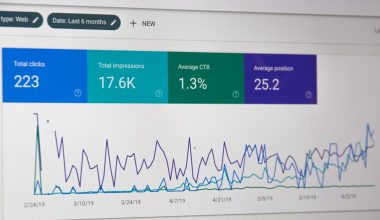
Choose Unbounce if conversion testing, traffic routing, and campaign-specific optimization matter most; choose Leadpages if you need a dependable, simpler way to publish landing pages, collect leads, and move fast. Both can support smart landing page experiences, but they are built for different levels of marketing maturity. Unbounce is the stronger fit for teams that care about incremental conversion gains. Leadpages is better for small teams that want fewer moving parts.
TLDR: Unbounce is better for advanced smart pages, especially when you want AI-assisted testing and automatic visitor routing. Leadpages is better when speed, templates, and affordability are the main concerns. For example, a SaaS team sending 10,000 monthly ad clicks might lift conversions from 4.8% to 6.1% with Unbounce’s smarter traffic allocation, while a solo consultant may get better value from Leadpages by launching three pages in one afternoon. The right choice depends less on features and more on how much traffic, testing discipline, and campaign complexity you have.
What “smart pages” should actually mean
A smart landing page should do more than look polished. It should help match the right message to the right visitor, reduce friction, and give marketers clear data. That means fast page loading, focused calls to action, easy testing, clean integrations, and useful reporting.
This is where the comparison gets serious. A page builder can have many templates and still feel limited if it does not help you improve results. Smart landing page experiences are not just about AI copy blocks or pretty sections. They are about measurable conversion behavior.
Useful smart page features usually include:
- A/B testing for headlines, layouts, offers, and forms.
- AI-assisted copy that speeds up first drafts.
- Traffic routing based on performance signals.
- CRM and email integrations that keep lead data clean.
- Analytics that show what is working without guesswork.
Unbounce: Stronger for optimization-heavy campaigns
Unbounce is built for marketers who treat landing pages as revenue tools, not brochure pages. Its biggest strength is optimization. The platform includes AI-powered tools, landing page testing, popups, sticky bars, and conversion-focused controls for paid campaigns.
The standout feature is Smart Traffic. Instead of running a standard A/B test and waiting weeks for statistical confidence, Smart Traffic starts sending visitors to the page variant most likely to convert. This can be useful when you have several audience segments or ad groups. It is not magic, but it can reduce the time wasted on weak variants.
Unbounce also offers strong control over page structure. Teams can build pages for Google Ads, Meta campaigns, webinars, lead magnets, free trials, and product launches. The builder gives more design freedom than many simpler tools. That freedom is helpful, but it can also slow people down.
Honestly, it feels like Unbounce sometimes assumes you already know exactly what you are doing. New users may spend extra time adjusting spacing, mobile views, or variant settings. A task that takes two minutes in a basic builder can take six or seven minutes when you start fine-tuning every section. For experienced marketers, that control is valuable. For beginners, it may feel heavy.
Unbounce is best for:
- Paid search and paid social campaigns with meaningful traffic.
- Teams that run continuous conversion tests.
- Agencies managing multiple client campaigns.
- B2B teams with segmented offers and funnel stages.
- Marketers who need more control over page variants.
Leadpages: Better for speed and simplicity
Leadpages is easier to start with. Its builder is straightforward, the templates are practical, and the publishing process is low stress. For many small businesses, that matters more than advanced testing. A landing page that goes live today can outperform a perfect page that gets stuck in review for a week.
Leadpages is especially useful for coaches, consultants, local service businesses, creators, and small SaaS teams. It handles lead capture well. Forms, alert bars, checkout options, and integrations are accessible without a complex setup. The platform also supports websites, not just standalone landing pages, which can help users who want one tool for several simple marketing assets.
The tradeoff is depth. Leadpages has testing and analytics features, but it does not match Unbounce for advanced optimization. If your team wants automated traffic distribution across multiple variants, deeper experimentation, or more campaign-level control, Leadpages may feel too basic.
The catch is that “simple” can become annoying once your campaigns grow. You may start wanting more detailed reporting, tighter page control, or smarter variant handling. At that point, Leadpages can still work, but you may feel the ceiling.

Feature comparison that matters
- Ease of use: Leadpages wins. It is faster for beginners and less intimidating for small teams.
- Conversion optimization: Unbounce wins. Its testing and Smart Traffic tools are more advanced.
- Template quality: Both are strong. Leadpages feels more plug-and-play, while Unbounce gives more room for custom campaign work.
- AI support: Unbounce is stronger for conversion-focused AI workflows. Leadpages offers helpful AI assistance, but the system is more basic.
- Design control: Unbounce wins. It gives marketers and designers more precision.
- Publishing speed: Leadpages wins for most non-technical users.
- Best audience: Unbounce suits performance marketers. Leadpages suits founders, creators, and small business owners.
A realistic user case
Consider a B2B software company spending $18,000 per month on paid search. It has three core audiences: finance managers, operations directors, and startup founders. Each group responds to different pain points. A single landing page will likely underperform because the message is too broad.
With Unbounce, the team can create several variants and use Smart Traffic to shift visitors toward the version that converts best. If the original page converts at 5.2% and optimized variants reach 6.4%, that is a meaningful gain. On 12,000 monthly visitors, the difference is about 144 extra leads per month. If sales quality stays steady, the business impact can be large.
Now consider a career coach launching a free resume checklist. She needs a page, a form, a thank-you message, and an email tool connection. Leadpages is likely the better choice. She can pick a template, edit the copy, connect her email platform, and publish quickly. In that case, Unbounce may be more tool than she needs.
Where both tools can disappoint
No landing page platform fixes a weak offer. If the audience is wrong, the promise is vague, or the form asks for too much, results will suffer. Smart features can improve a solid campaign, but they cannot rescue poor strategy.
Expect some friction with both tools. Unbounce can feel complex during setup, especially for teams without conversion testing habits. Leadpages is easier, but advanced users may outgrow its limits. In both cases, page speed, mobile layout, tracking setup, and form testing still need careful review before launch.

Final recommendation
Use Unbounce when each percentage point of conversion rate has real financial value. It is the better platform for smart landing page experiences tied to paid acquisition, segmentation, and serious testing. The extra setup time makes sense when campaign volume is high enough to justify it.
Use Leadpages when speed, clarity, and cost control matter more than advanced experiment design. It is a sound choice for small teams that need clean pages without a steep learning curve. It helps users get campaigns live fast, which is often the first real obstacle.
The most practical rule is simple: if you are still proving the offer, start with Leadpages. If you are scaling traffic and optimizing performance, choose Unbounce. Smart pages are not about having the most features. They are about matching the tool to the work that actually improves conversion rates.