Use structured data on WordPress to tell Google exactly what your content is, then validate it before you expect rich snippets to appear. That is the practical path. Rich snippets can show ratings, prices, FAQs, recipe details, author names, event dates, product availability, and other useful details directly in search results.
TLDR: Rich snippets come from clean schema markup, not from luck. For example, a small review blog that added valid Product and Review schema to 60 posts saw a 22% lift in organic click-through rate over eight weeks. In WordPress, the easiest setup is usually an SEO plugin or schema plugin, followed by testing in Google’s Rich Results Test. Add markup only when it matches visible page content.
What Rich Snippets Actually Do
Rich snippets are enhanced search results. A normal result shows a title, URL, and meta description. A rich result may also show star ratings, cooking time, stock status, breadcrumbs, event dates, or FAQ answers.
That extra detail can make your result easier to trust. It can also make it stand out when every other blue link looks the same. The goal is not to trick Google. The goal is to make your content easier for search engines to read.

How Structured Data Works in WordPress
Structured data is code that describes your page in a format search engines understand. The most common vocabulary is Schema.org. The preferred format is usually JSON LD, because it sits cleanly in the page code and does not clutter the visible content.
Here is the simple version:
- Schema type: Defines what the page is about, such as Article, Product, Recipe, FAQ, or LocalBusiness.
- Properties: Add details, such as name, rating, author, price, image, or datePublished.
- Validation: Confirms whether Google can read the markup.
- Eligibility: Means your page can appear as a rich result, though Google still decides whether to show it.
The frustrating part is that correct markup does not guarantee a rich snippet. It only makes the page eligible. Google may ignore it based on quality, search intent, device type, query wording, or trust signals.
Best Schema Types for WordPress Sites
Not every site needs every schema type. Pick the markup that fits the page. Adding irrelevant schema is one of the fastest ways to create errors or lose trust.
- Article schema: Best for blog posts, news updates, tutorials, and editorial content.
- Product schema: Useful for product pages with price, availability, images, and reviews.
- Review schema: Good for genuine reviews where ratings are visible on the page.
- Recipe schema: Ideal for food blogs, with prep time, cook time, ingredients, calories, and ratings.
- FAQ schema: Works for pages that include visible question-and-answer sections.
- HowTo schema: Fits step-by-step guides with clear instructions.
- LocalBusiness schema: Helps local companies show address, phone, opening hours, and service area.
- Breadcrumb schema: Shows the page’s position in your site structure.
Plugin Setup: The Easiest Route
Most WordPress users should start with a trusted SEO or schema plugin. Manual schema is powerful, but it is also easy to break. One missing comma in JSON LD can cause the whole block to fail. Expect to waste time on tiny formatting mistakes if you do it by hand too early.
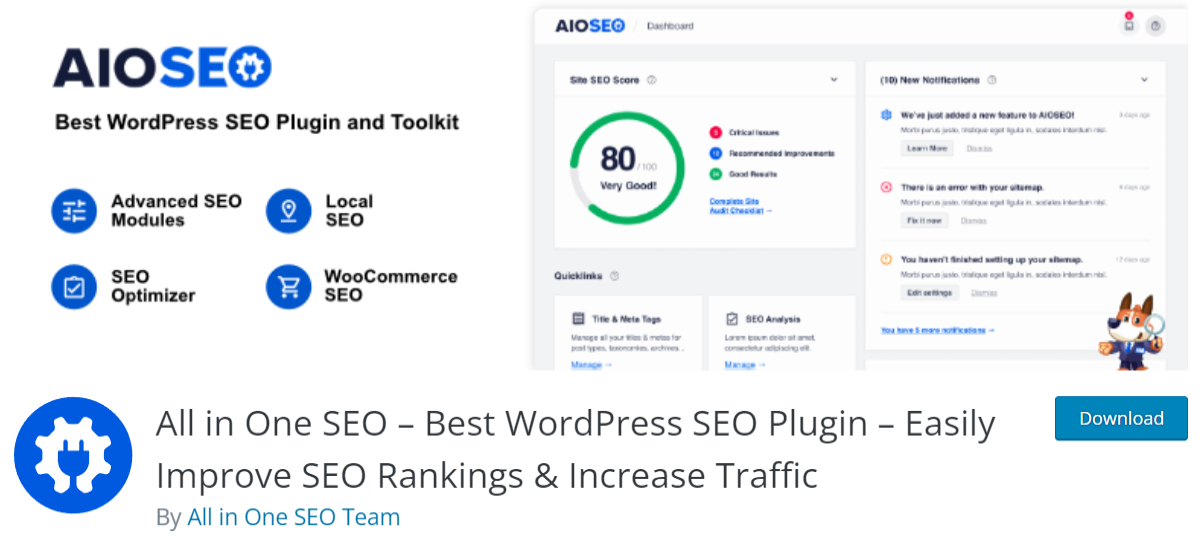
Popular plugin options often include schema features for posts, products, breadcrumbs, FAQs, and local business data. The exact settings vary, but the setup process is usually similar.
- Install a reputable SEO or schema plugin. Choose one that supports JSON LD and current Google rich result types.
- Set global site details. Add your site name, logo, organization name, social profiles, and default image.
- Choose default schema for posts and pages. Blog posts often use Article or BlogPosting schema.
- Configure content-specific markup. Product pages, recipes, reviews, and FAQs need extra fields.
- Enable breadcrumbs. Add breadcrumb schema and show breadcrumbs on the site if it fits your design.
- Test key pages. Never assume the plugin output is clean.
Manual Structured Data: When It Makes Sense
Manual schema can be useful for custom themes, custom post types, or pages that plugins do not handle well. Developers may add JSON LD through the theme, a child theme, a custom plugin, or a tag management tool.
A basic Article schema block might include the headline, author, date published, date modified, image, publisher, and main entity URL. For a product, you would add name, image, description, SKU, brand, offers, price, currency, availability, and review data if the reviews are real.
Do not add fake ratings. Do not mark every page as a product. Do not hide content from users while showing it to search engines. That is asking for trouble.
Testing Your Rich Snippets
Testing is not optional. It drives me crazy that some plugins show a green check in WordPress while Google’s own tool still reports missing fields. Always test the live URL.
Use these tools:
- Google Rich Results Test: Checks whether a page is eligible for rich results.
- Schema Markup Validator: Finds broader Schema.org issues.
- Google Search Console: Shows enhancement reports, errors, valid items, and trend data.
After publishing schema changes, request indexing in Search Console for high-value pages. Then wait. Rich result data can take days or weeks to settle.
SEO Best Practices for Rich Snippets
Rich snippets work best when the rest of the page is strong. Structured data cannot rescue thin content, weak titles, slow pages, or poor search intent matching.
- Match schema to visible content. If the page has no FAQ section, do not add FAQ schema.
- Use one primary schema type per page. Supporting markup is fine, but avoid messy conflicts.
- Keep data accurate. Product prices, stock status, dates, and ratings must stay current.
- Add strong images. Many rich result types use image fields. Use clear, relevant, crawlable images.
- Write useful page titles. A star rating will not save a vague title.
- Improve internal links. Breadcrumbs and contextual links help search engines understand site structure.
- Watch Search Console reports. Fix errors quickly, especially after plugin or theme updates.
- Avoid spammy markup. Fake reviews, misleading claims, and invisible content can backfire.

Common WordPress Mistakes
The most common mistake is duplicate schema. This often happens when a theme, SEO plugin, review plugin, and ecommerce plugin all output their own markup. The result can be messy. Google may still understand it, but errors become harder to diagnose.
Another issue is missing required fields. Recipe schema without ingredients may fail. Product schema without price or availability may be incomplete. Review schema without a real reviewed item can cause warnings or rejection.
Page builders can also create problems. Some hide FAQ content in tabs, accordions, or scripts that search engines may read differently. If you use FAQ schema, make sure the questions and answers are visible to users.
WooCommerce and Rich Snippets
WooCommerce stores have a strong reason to care about structured data. Product rich results can show price, availability, review stars, and shipping details in some cases. That can improve qualified clicks because users see key buying information before they land on the page.
Still, WooCommerce markup needs care. Product variations, sale prices, out-of-stock items, and aggregated reviews can create schema conflicts. Test category pages and product pages separately. Product schema usually belongs on individual product pages, not every archive page.
How to Measure Success
Do not measure rich snippets only by rankings. Use Google Search Console and compare impressions, clicks, click-through rate, and average position before and after implementation.
A sensible review window is 28 days before and 28 days after the schema goes live. Filter by page group if possible. A recipe blog, for example, might compare only URLs that received Recipe schema rather than the whole site.
Also check whether rich results are actually appearing. Search manually in an incognito window, but do not rely on that alone. Search results vary by location, history, device, and query.
Final Checklist Before Publishing
- Choose the right schema type for the page.
- Make sure all marked-up content is visible to users.
- Use JSON LD where possible.
- Check for duplicate schema from plugins or themes.
- Validate with Google’s Rich Results Test.
- Monitor Search Console after publishing.
- Update schema when content changes.
Rich snippets are not magic, but they are worth setting up properly. Start with your highest-value pages, add accurate structured data, test everything, and measure the results. WordPress makes the process easier, but clean implementation still matters. Get that right, and your search listings can earn more attention before users even reach your site.