Patch exposure faster than you scan for it: a Linux kernel vulnerability can turn from “known issue” to “active risk” the moment exploit code appears, so scanners alone are not enough. Security teams need both Linux security scanners and vulnerability management tools, but they solve different parts of the problem. A scanner finds evidence. A management platform turns that evidence into ownership, priority, remediation, and proof.
TLDR: Linux security scanners are useful for finding outdated kernels, weak configurations, and exposed services, but they rarely manage the full fix cycle. Vulnerability management tools add risk scoring, asset ownership, ticketing, exception tracking, and reporting. For example, a company with 1,200 Linux servers may discover that 38% run a kernel affected by a recent CVE, but only a management workflow can show which 70 systems are internet-facing and must be patched in the next 24 hours. Use scanners for detection, then use vulnerability management to make sure the work actually gets done.
Why Linux kernel vulnerabilities need special treatment
The Linux kernel sits at the center of the operating system. It controls memory, processes, file systems, networking, and hardware access. When a kernel vulnerability is exploitable, the result can be serious: privilege escalation, container escape, denial of service, or direct compromise of a host.
That is why kernel flaws are different from many package bugs. A vulnerable text editor may be risky. A vulnerable kernel can affect every workload on the machine. If that host runs containers, databases, VPN gateways, or CI runners, the blast radius grows fast.
Recent examples show the pattern. CVE-2024-1086, a Linux kernel netfilter flaw, drew attention because of local privilege escalation risk. CVE-2023-0386 affected OverlayFS and could allow users to gain higher privileges under certain conditions. Older flaws such as Dirty Pipe, CVE-2022-0847, proved how quickly kernel bugs can become operational incidents once proof-of-concept exploit code spreads.
Image not found in postmetaWhat Linux security scanners actually do
A Linux security scanner checks systems for known weaknesses. It may inspect installed packages, kernel versions, system settings, open ports, SSH configuration, running services, file permissions, and compliance controls. Some run as agents. Others scan remotely over the network. Some use authenticated access through SSH to collect deeper host data.
Common scanner outputs include:
- Kernel version findings, such as an outdated Ubuntu, Debian, RHEL, SUSE, or Amazon Linux kernel.
- CVE matches based on package metadata and vendor advisories.
- Configuration weaknesses, such as password SSH login, weak file permissions, or unsafe sysctl settings.
- Exposure indicators, such as open management ports or services reachable from untrusted networks.
- Compliance checks against CIS benchmarks, DISA STIGs, or internal hardening rules.
Scanners are excellent at answering one question: “What looks wrong on this system right now?” That is valuable. It is also incomplete.
The catch is that many scanners produce long lists with weak context. A team may receive 9,000 Linux findings on Monday morning, with hundreds marked “high.” Some are real fire drills. Some are false positives caused by backported vendor patches. Some affect lab machines. Some affect production payment systems. Treating them all the same wastes time.
What vulnerability management tools add
Vulnerability management tools start where raw scanning ends. They collect findings from scanners, cloud providers, endpoint tools, container registries, CMDBs, ticketing systems, and asset inventories. Then they help organize remediation based on risk and business context.
A mature vulnerability management tool should support:
- Asset ownership: who owns the server, cluster, or application?
- Risk prioritization: is the host internet-facing, business-critical, or exposed to untrusted users?
- Exploit awareness: is there public exploit code, active abuse, or only a theoretical issue?
- Patch workflow: has a ticket been opened, approved, completed, and verified?
- Exception control: if patching is delayed, who approved it and for how long?
- Reporting: what is the current risk level, and is it improving?
Honestly, it feels like many teams still confuse “found” with “fixed.” A PDF scan report is not remediation. A spreadsheet with red cells is not accountability. If nobody owns the finding, the vulnerability stays alive.
Scanner versus management platform: the practical difference
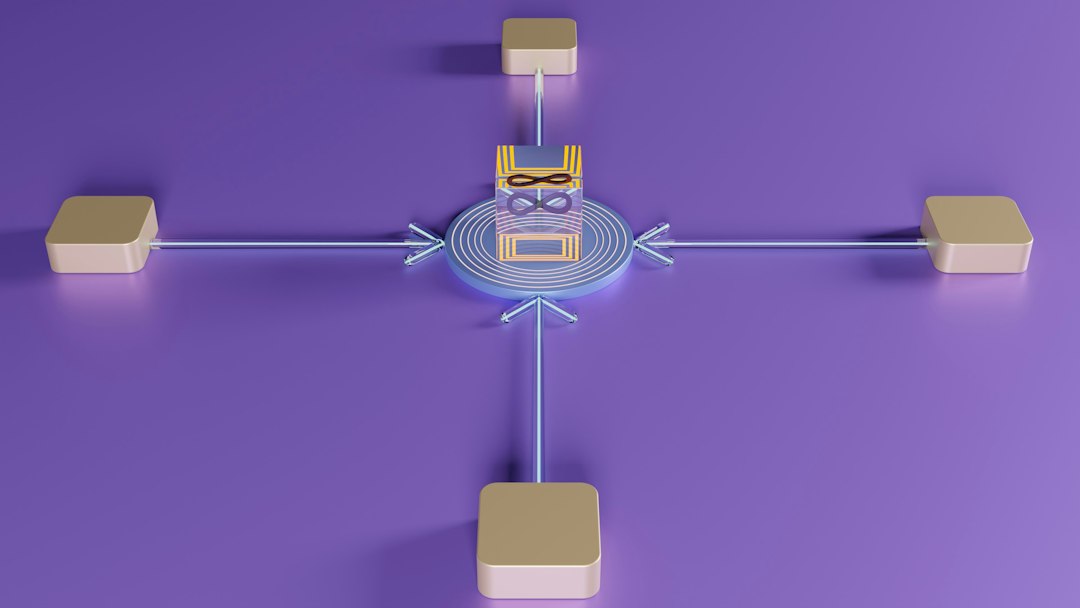
A security scanner might report that 280 Linux hosts run a kernel tied to a critical CVE. That is detection. A vulnerability management tool goes further. It can group those hosts by cloud account, application, environment, data sensitivity, and exposure.
That changes the response. The same CVE on an isolated test server is not equal to the same CVE on a public Kubernetes node running customer workloads. Both need attention. One needs it first.
For kernel vulnerabilities, priority usually depends on several factors:
- Exploit type: remote code execution is rare in kernel bugs, but privilege escalation is common and still dangerous.
- Local access: if attackers can gain a shell through another weakness, a local kernel exploit becomes much more useful.
- Container density: shared hosts raise the impact of kernel flaws.
- Internet exposure: public-facing systems have less room for delay.
- Patch availability: vendor-fixed kernels lower uncertainty, but reboot planning can slow deployment.
The reboot problem nobody likes
Kernel patching often requires a reboot. That makes remediation harder than updating a normal package. Production owners may resist downtime. Cluster operators may need node draining. Databases may require failover. Legacy systems may not restart cleanly.
Expect to waste time on this if your process is unclear. A kernel update can take minutes to install but days to approve. In one common pattern, scanning identifies the issue in 30 seconds, ticket creation takes a day, maintenance approval takes a week, and verification gets forgotten. That gap is where attackers live.
Live patching can help. Tools from vendors such as Canonical, Red Hat, SUSE, and Oracle can apply some kernel fixes without rebooting. That said, live patching is not a full replacement for disciplined maintenance. It may not cover every CVE. It may also leave teams with mixed states that must be tracked carefully.
False positives and vendor backports
Linux vulnerability detection is not always clean. Enterprise distributions often backport security fixes without changing the upstream version number in a way that simple scanners understand. A scanner may see an “old” kernel and flag it, even though the vendor has patched the flaw.
This is where serious tools earn trust. They should understand vendor advisories, package release data, and distribution-specific fixes. For Red Hat, Ubuntu, Debian, SUSE, Amazon Linux, AlmaLinux, Rocky Linux, and Oracle Linux, advisory context matters. Raw version checks can mislead teams and inflate risk counts.
Good vulnerability management also records compensating controls. If a kernel module is not loaded, a vulnerable feature is disabled, or a host is isolated from untrusted users, risk may be reduced. That does not mean “ignore it.” It means “rank it correctly.”
How to build a sane Linux kernel vulnerability process
A strong process does not need to be complex. It needs to be consistent.
- Maintain an accurate asset inventory. Include physical servers, virtual machines, cloud instances, containers, and Kubernetes nodes.
- Run authenticated scans. Unauthenticated scans miss too much kernel and package detail.
- Correlate findings with vendor advisories. Avoid panic caused by weak version checks.
- Prioritize exposed and critical systems first. Public systems, shared hosts, and admin jump boxes deserve faster action.
- Create tickets with owners and deadlines. A finding without an owner is noise.
- Plan reboots before crisis hits. Maintenance windows should already exist.
- Verify after patching. Confirm the running kernel changed, not just the installed package.
Which tool should you buy first?
If you have no reliable detection, start with a Linux security scanner. You cannot fix what you cannot see. Choose one that supports authenticated Linux checks, distribution-specific advisories, cloud assets, and container hosts.
If you already have scan data but remediation is slow, buy or improve vulnerability management. This is common in mid-size and large organizations. The scanner keeps shouting. Teams stop listening. The better answer is not louder alerts. It is better prioritization and ownership.
For small teams, an integrated product may be enough. For larger enterprises, separate tools often make sense: scanners for coverage, vulnerability management for governance, and IT service tools for execution. The key is integration. Findings should flow into a single process, not sit in five dashboards.
The serious view
Linux kernel vulnerabilities are not rare edge cases. They are part of normal security operations. The risk rises when teams rely on scanning alone and mistake visibility for control.
Use scanners to find the problem. Use vulnerability management tools to decide what matters, assign the work, track the fix, and prove that exposure is shrinking. That difference is not academic. It is the line between knowing you have a vulnerable kernel and actually removing it from production before someone else takes advantage of it.