Digital experience monitoring has moved from a “nice to have” IT dashboard into a practical way to understand whether employees and customers can actually use the applications they depend on. Xtium DEM is positioned around that need: visibility into endpoint health, network behavior, application performance, and the day-to-day friction users experience. Rather than looking only at whether a server is up, it focuses on the more important question: is the user having a smooth digital experience?
TLDR: Xtium DEM is best suited for organizations that want a managed, service-oriented approach to monitoring user experience across devices, networks, and business applications. For example, a 300-person company with recurring login delays, VPN complaints, and SaaS performance issues could use DEM data to identify whether 65% of incidents are endpoint-related, network-related, or application-related before escalating tickets. Its strengths are visibility, proactive alerts, and user experience context, while alternatives such as Nexthink, ControlUp, ThousandEyes, and Datadog may be better for teams that want deeper specialization or broader observability ecosystems.
What Is Xtium DEM?
Xtium DEM, or Digital Experience Monitoring, refers to a monitoring approach designed to track the quality of digital interactions from the user’s perspective. Instead of focusing only on infrastructure metrics like CPU load, disk usage, or server uptime, DEM looks at the complete path between the user and the service: device, Wi-Fi, VPN, identity provider, cloud application, and backend systems.
This makes it particularly useful for hybrid and remote work environments, where employees may be connecting from home networks, branch offices, shared workspaces, or virtual desktops. In these settings, traditional monitoring often fails to explain why an employee says, “Everything is slow,” even when infrastructure dashboards show green.

Core Features of Xtium Digital Experience Monitoring
The value of any DEM platform depends on how well it connects technical signals with user impact. Xtium DEM is typically evaluated across several key capability areas.
1. Endpoint Visibility
Endpoint performance is one of the most common sources of productivity problems. A laptop with insufficient memory, high CPU usage, outdated drivers, or background processes can make cloud applications feel slow even when the application itself is healthy.
Xtium DEM aims to provide visibility into device-level conditions such as:
- CPU, memory, and disk utilization
- Device boot and login times
- Operating system and patch status
- Application crashes or freezes
- Battery, hardware, and resource constraints
This is useful for support teams because it helps them separate user perception from root cause. If twenty users complain about slow performance, DEM can help determine whether the issue is a common SaaS outage, a VPN bottleneck, or aging endpoints.
2. Network and Connectivity Monitoring
Modern work depends heavily on network stability. Even a well-configured application can feel unreliable if users experience packet loss, latency, DNS delays, or unstable Wi-Fi. Xtium DEM can help IT teams monitor the quality of the route between user devices and important applications.
That context matters. A user in the finance department may blame the accounting system for poor performance, while the real issue is a congested home router or an overloaded VPN gateway. With network experience data, IT can respond with evidence instead of guesswork.
3. Application Experience Tracking
Application performance is where DEM becomes especially valuable. Xtium DEM can help track how key business tools behave from the user’s side, including web apps, collaboration platforms, productivity suites, and custom internal applications.
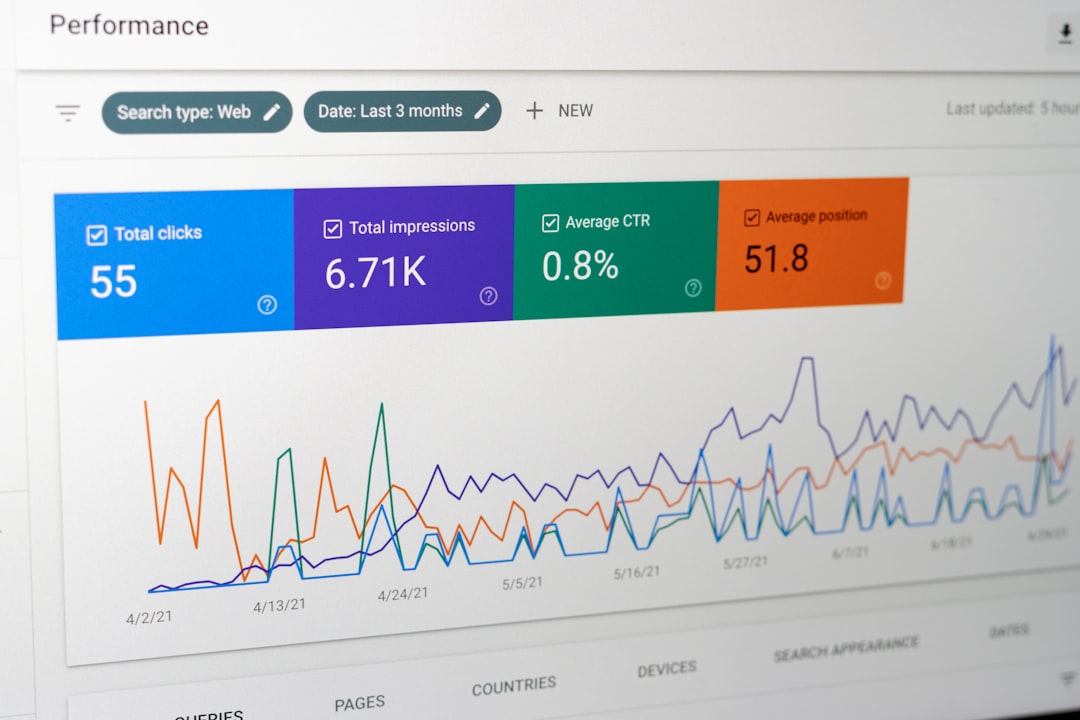
Important metrics may include page load time, application launch time, login duration, transaction response time, and error frequency. These metrics can be used to create experience baselines. For instance, if a CRM normally loads in 2.5 seconds but begins loading in 8 seconds for users in one region, IT can investigate before the slowdown becomes a company-wide incident.
4. Proactive Alerts and Incident Reduction
A strong DEM tool should not simply collect data; it should help teams act sooner. Xtium DEM can support proactive alerting when experience scores fall below acceptable thresholds or when patterns indicate a likely service degradation.
For example, if login times increase by 40% after a software update, DEM data can expose the trend quickly. This gives IT a chance to roll back a change, update a configuration, or notify affected users before the help desk becomes overwhelmed.
5. Reporting and User Experience Scores
Executives usually do not want raw telemetry. They want to know whether employees are productive, whether service providers are meeting expectations, and whether technology investments are improving business outcomes. DEM reporting can turn device, network, and application data into readable scorecards.
Useful reports may include:
- Overall digital experience score by department, site, or device group
- Top recurring causes of poor user experience
- Application performance trends over time
- Incident correlation between tickets and telemetry
- SLA and service quality summaries for leadership reviews
Where Xtium DEM Stands Out
The strongest appeal of Xtium DEM is its potential fit for organizations that want more than a monitoring tool. Many companies do not have large observability teams or dedicated endpoint analytics specialists. They need a partner that can help interpret the data, prioritize problems, and connect monitoring insights to operational support.
In that sense, Xtium DEM may be attractive to mid-sized organizations, regulated businesses, and companies with hybrid workforces. Its value is not only in collecting experience data but in helping IT teams understand what to do next.
It is also helpful for reducing the “blame cycle” between infrastructure, networking, security, and application teams. When everyone can see the user journey more clearly, troubleshooting becomes faster and more collaborative.
Potential Limitations
No DEM solution is perfect, and buyers should evaluate Xtium DEM carefully against internal requirements. Some organizations may need advanced customization, deep developer observability, or highly specialized synthetic testing across global regions. Others may already be invested in a broader monitoring platform and may prefer to extend that tool rather than introduce a separate DEM layer.
Questions to ask during evaluation include:
- Does it support all critical endpoints, including remote and virtual desktops?
- How granular are the application performance metrics?
- Can alerts integrate with existing ITSM tools?
- How easy is it to create executive-level reports?
- What remediation support is included?
Best Alternatives to Xtium DEM
If you are comparing the market, several alternatives are worth reviewing.
- Nexthink: A leading choice for employee digital experience management, especially strong in endpoint analytics, sentiment collection, and automated remediation.
- ControlUp: Popular for real-time monitoring of virtual desktops, physical endpoints, and remote work environments. It is especially strong for VDI and DaaS use cases.
- Cisco ThousandEyes: Excellent for internet, WAN, and SaaS path visibility. It is a strong fit when network performance and external dependency monitoring are top priorities.
- Catchpoint: Strong in synthetic monitoring and internet performance testing, useful for customer-facing digital services and globally distributed applications.
- Datadog: A broad observability platform with infrastructure, APM, RUM, logs, and synthetic monitoring. Best for teams that want DEM as part of a wider DevOps observability stack.
- Dynatrace: Known for AI-assisted observability and application performance monitoring, suitable for complex enterprise environments.
- Microsoft Intune Endpoint Analytics: A practical option for Microsoft-centric organizations that need basic endpoint performance insights without adopting a full DEM platform.
Who Should Consider Xtium DEM?
Xtium DEM is a good fit for businesses that want to improve employee technology experience but do not want monitoring data to become another unmanaged stream of alerts. It is especially relevant for IT leaders dealing with recurring complaints such as slow logins, unreliable VPN connections, inconsistent SaaS performance, or poor visibility into remote employee issues.
It may be less ideal for teams that need highly developer-centric telemetry, open-ended customization, or an observability platform that covers every layer of cloud-native architecture. In those cases, tools like Datadog, Dynatrace, or New Relic may be more suitable.
Final Verdict
Xtium DEM is most compelling as a practical, user-focused monitoring solution for organizations that want clearer visibility into digital workplace performance. Its main benefit is helping IT teams move from reactive troubleshooting to proactive experience management. By connecting endpoint, network, and application signals, it can make support conversations more precise and reduce time spent chasing vague performance complaints.
For companies that want a managed or guided DEM experience, Xtium is worth considering. However, buyers should compare it with specialized alternatives depending on whether their biggest challenge is endpoint health, network visibility, application performance, or full-stack observability. The right choice depends on one central question: what part of the digital experience is hurting users the most?