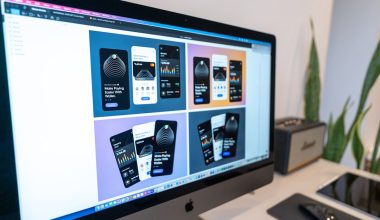
Great slides do more than sit there and look pretty. They move. They talk. They ask questions. They invite people to click, vote, laugh, think, and remember. That is the magic of a good multimedia presentation.
TLDR: Interactive slides make business meetings and classroom lessons more fun and easier to remember. Use videos, polls, quizzes, clickable paths, audio, animations, and live activities to keep people involved. Keep each idea simple. The goal is not to show off, but to help your audience understand and care.
1. Start With a Short Video Hook
A video can grab attention fast. It is like opening a window in the middle of a slide deck. People look up. They lean in. They want to know what happens next.
For a business presentation, use a short customer story. Show a quick product demo. Add a 20-second clip of a real problem your team solved.
For an educational presentation, use a science clip, a history scene, or a simple animated explainer. Keep it short. One minute is often enough.
Try this: Ask one question before the video plays. For example:
- “What problem do you notice?”
- “What would you do next?”
- “Which detail stands out?”
This turns a video from a passive moment into an active one.

2. Add Live Polls for Instant Opinions
Polls are simple. They are also powerful. A poll lets everyone speak, even quiet people. It works in a meeting room. It works online. It works in a classroom full of students.
Use polls to check mood, knowledge, or opinions. In business, you might ask:
- “Which feature matters most to customers?”
- “What is our biggest sales blocker?”
- “How confident are you about this plan?”
In education, try:
- “Which answer do you think is correct?”
- “How hard was the homework?”
- “Which topic should we review again?”
Show the results on the screen. Then talk about them. People love seeing their answers become part of the presentation. It feels alive.
3. Create Clickable Choose Your Own Path Slides
This idea feels like a game. It also gives the audience control.
Instead of moving in a straight line, build a menu slide. Add buttons or links. Each button goes to a different section. Let the group choose where to go next.
For example, a sales training deck could have options like:
- Common objections
- Pricing questions
- Product benefits
- Role play practice
A teacher could build a lesson menu with:
- Watch a clip
- Read a short text
- Take a quiz
- Try a challenge
This makes the audience feel involved. It also helps you adapt. If people already know one topic, skip it. If they are confused, go deeper.
Tip: Keep the menu clear. Use big buttons. Use simple labels. No one should need a map to use your slides.
4. Use Mini Quizzes to Wake Up Brains
Quizzes do not have to be scary. They can be quick and playful. A mini quiz helps people test what they know. It also gives their brains a tiny workout.
Add a quiz after a key idea. Use one to three questions. Make it low pressure. Say, “This is just for fun,” or “Let’s see what stuck.”
Good quiz formats include:
- Multiple choice: Fast and easy.
- True or false: Great for checking facts.
- Image questions: Ask people to spot the issue.
- Scenario questions: Ask what they would do.
For business slides, quiz the team on a new process. For school slides, quiz students on vocabulary or key facts. Add a small reward if you want. A sticker, point, badge, or silly title can make it fun.
5. Mix in Audio for Mood and Memory
Audio can do something text cannot. It creates a feeling. A short sound can add energy, emotion, or focus.
In a business presentation, use audio clips from customer interviews. Hearing a real customer voice is stronger than reading a quote. It feels human.
In an educational presentation, use music, sound effects, language clips, or nature sounds. A lesson about rainforests becomes richer with bird calls. A language class becomes better with native speaker audio.

But be careful. Audio should help the message. It should not annoy people. Avoid loud sounds. Avoid long clips. Always test your sound before the presentation starts.
Simple rule: If the audio does not add meaning, leave it out.
6. Bring Data to Life With Animated Charts
Charts can be boring. They can also be exciting. It depends on how you show them.
Do not dump a full chart on the screen at once. Build it piece by piece. Show one bar. Then another. Then explain the change. Let the story grow.
For a business audience, animated charts can show:
- Sales growth over time
- Customer behavior
- Market trends
- Project progress
For students, use animated charts to show:
- Population growth
- Science results
- Historical timelines
- Class survey data
Use color with purpose. Highlight the key number. Make the most important point easy to see. If people need ten seconds to understand the chart, it is too busy.
Make it interactive: Pause before revealing the final result. Ask, “What do you think happens next?” Then reveal the answer. This little pause builds curiosity.
7. End With a Hands On Activity
A great presentation does not end with “Any questions?” It ends with action.
Give people something to do. Make it small and clear. The activity should match your goal.
For business slides, try:
- Discuss one problem in pairs.
- Write one next step on a sticky note.
- Vote on the best idea.
- Build a quick action plan.
For educational slides, try:
- Solve one challenge problem.
- Match terms to images.
- Create a one sentence summary.
- Draw a simple diagram.

Hands on activities help people remember. They also show you what the audience understood. If everyone looks lost, you know what to review. If they are excited, you know your message landed.
Simple Tips for Better Multimedia Slides
Multimedia is fun. But too much can turn your slides into a circus. Keep things clean and useful.
Use these simple rules:
- One main idea per slide. Do not crowd the screen.
- Short media clips. Long clips drain energy.
- Clear buttons. Make interactive parts easy to find.
- Readable text. Big fonts win every time.
- Test everything. Check sound, video, links, and internet.
- Have a backup. Technology loves surprises.
Also, think about your audience. A room of executives may want fast polls and clear data. A classroom may love quizzes and games. A training group may need practice tasks. Match the tool to the people.
Final Thoughts
Interactive slides are not about fancy effects. They are about connection. They help people take part instead of just watching. They turn a slide deck into a shared experience.
Start small. Add one video. Try one poll. Build one quiz. Then watch how your audience responds. If they smile, click, answer, and ask questions, you are on the right track.
Good multimedia presentations feel less like lectures and more like conversations. That is what makes them work.